Keynote Video Production: Costs & Tiers
Keynote video production for 2026: filming setups, live vs pre-recorded, multi-cam package tiers, costs, and how one talk becomes 40 video assets.
Published 2026-07-03 · Updated 2026-09-29 · Video Marketing · Neverframe Team
The 45-Minute Asset Most Companies Throw Away
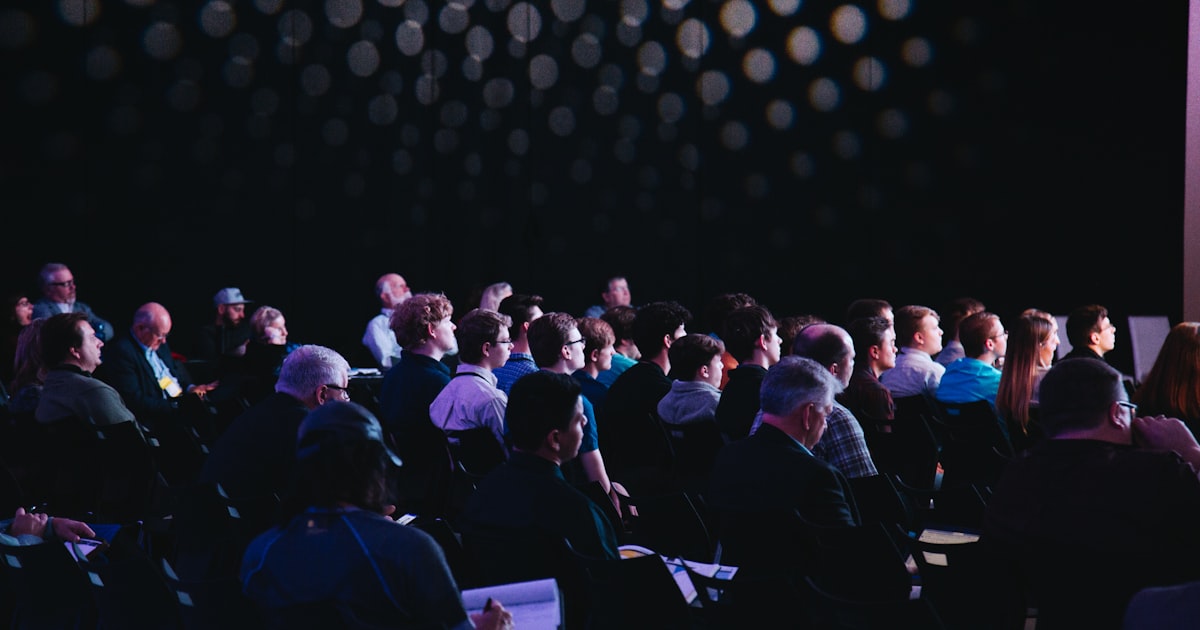
Nine out of ten people your keynote was built for will never sit in that room. They decide whether to buy from a 45-second clip on their phone, or they never see the talk at all. That is the uncomfortable truth about keynote video production in 2026: the room is a rounding error, and the video is the actual product.
The numbers are blunter than the intuition. Bizzabo's 2026 State of Events Benchmark Report puts the average event at 412 registrations and 269 actual attendees, a 52% show rate. That is the room your keynote plays to. Meanwhile 78% of organizers call in-person conferences their most impactful marketing channel, and 82% now create video-on-demand content from their events, with 53% gating at least some of it.
Read those two facts together and the strategy writes itself: the live audience is a rounding error, the recorded asset is the channel, and four out of five organizers already know it. Yet most companies still treat the keynote like an event that happens once. They point a single locked camera at the stage, upload the raw file, and move on. The most concentrated hour of executive message, authority, and intent the organization produces all year gets buried unwatched, in a market where short-form video has delivered the highest ROI of any content format for four straight years according to HubSpot. Companies still filming keynotes like it is 2012 are handing that demand to competitors who understand the shift.
Keynote video production is the discipline of capturing a flagship stage talk and building it into a cinematic asset that keeps working long after the applause fades. Not multi-day conference coverage. Not a highlight reel. The single most important address at your event or launch, produced to a standard that holds up on a YouTube homepage, inside a sales deck, and on an embargoed press page. This guide covers how to plan it, what to buy, how live and pre-recorded and AI-augmented approaches compare, and how one talk becomes a hundred pieces of content.
If you have watched a keynote from Apple, Nvidia, Salesforce, or a well-funded Series B startup in the last three years and thought it felt like a film, you have already seen what modern keynote video production delivers. The gap between that and a static camera pointed at a lectern is the gap between an asset and a forgotten recording.
Keynote Video Production at a Glance
| Question | Short answer |
|---|---|
| What is keynote video production? | Planning, filming, and editing a keynote so it works as a cinematic video asset, not just a recording |
| Minimum setup for a live keynote | Three cameras (wide, speaker close-up, audience), clean audio from the house feed, and slide capture |
| Typical turnaround | Social clips in 24 to 48 hours, full edited keynote in 5 to 10 days |
| Pieces of content from one talk | 40 or more with a planned clip, quote, and sales-enablement layer |
| Biggest cost driver | Camera count and whether you need live streaming or a pre-recorded studio shoot |
Four in five organizers already turn their events into video on demand, and Wyzowl's 2026 survey found 91% of businesses use video in their marketing. Keynote video production is how you make sure yours is worth watching. If you need a partner for the recap side of the same event, see our event recap video production guide.
What Keynote Video Production Actually Covers
The word keynote gets stretched to cover everything, so precision matters. A keynote video is the produced capture of the single most important talk at your event or launch. It has a protagonist, usually a founder, CEO, or product lead. It has a narrative arc. It carries the strategic message the whole organization wants remembered.
Everything downstream of it, the panels, the breakouts, the hallway interviews, belongs to a different production category. If you need the full multi-day program covered, that is a separate workflow, and we break it down in our conference video production guide. If you need the emotional montage that sells next year's ticket, that is a sizzle reel, detailed in our sizzle reel production guide. The keynote sits above both. It is the crown jewel.
Here is what separates true keynote video production from generic event capture:
- A single protagonist and a single narrative. Camera direction, lighting, and edit all serve one speaker's story, not a schedule.
- Cinematic standard, not documentation standard. Color grade, sound design, and framing are treated like a short film, because the finished asset gets judged against branded content, not against a webinar recording.
- Integrated on-screen graphics. Slides, product demos, and motion graphics are composited into the frame, not filmed as a distant projection screen.
- Built for reuse from the first frame. The shoot is planned so the talk can be re-cut into dozens of derivative assets without a reshoot.
A keynote video is not a company town hall either, though the two share crew and gear. A town hall speaks inward to employees; a keynote speaks outward to the market. If your priority is the internal all-hands, our town hall video production guide covers that brief specifically.
Keynote Filming Services vs Keynote Production Services
Buyers often use these two phrases as if they mean the same thing. They do not, and the difference decides what you get for your money.
Keynote filming services describe the capture layer. Cameras, operators, lighting, audio, a clean feed of the screen content, and a shoot day executed on site. A filming vendor shows up, records the talk well, and hands you footage. If your internal team already has an editor, a graphics designer, and a clip strategy, filming services may be all you need.
Keynote production services describe the whole pipeline: the pre-production planning that decides the narrative, presenter coaching, the shoot, then the edit, the color grade, the sound design, the graphics compositing, and the full slate of derivative cuts. A production partner owns the outcome, not just the footage. You brief them once and they return a finished master plus the content library built from it.
Here is the scope line drawn precisely, so you can hold a quote against it.
| Workstream | Keynote filming services | Keynote production services |
|---|---|---|
| Narrative and message lock | Not included | Included, before anything is scheduled |
| Presenter coaching and rehearsal | Not included | Included |
| Script and teleprompter operation | Sometimes, as an add-on | Included |
| Multi-camera capture and lighting | Included | Included |
| Broadcast audio with backup path | Included | Included |
| Clean feed capture of slides and demos | Usually included | Included and planned in pre-production |
| Story-first edit | Not included | Included |
| Graphics and demo compositing | Not included | Included |
| Color grade and sound design | Not included | Included |
| Derivative clip slate | Not included | Included, planned before the shoot |
| Localization and subtitles | Not included | Included or scoped |
| Distribution-ready deliverable set | Raw footage only | Master plus full asset library |
Most companies searching for keynote filming actually want keynote production, because raw footage sitting on a drive creates zero marketing value on its own. The talk becomes an asset only after the edit, the clips, and the distribution-ready versions exist. When you evaluate vendors, ask a blunt question: does the quote end at handing over footage, or does it end at a published content engine? That single question separates a camera-for-hire from a partner who moves your pipeline. When you are ready to scope a project, the Neverframe team works from the finished-asset end of that spectrum, not the footage end.
Why Virtual Keynotes Changed the Production Brief
Ask what video production is needed for a virtual keynote and the honest answer is: more than a webcam, less than a live arena, and different from both. Virtual keynotes are not simply live keynotes with the audience removed. They are their own format with their own production requirements, and getting the brief wrong is the most common way companies waste a virtual launch.
A virtual keynote is watched alone, on a laptop or phone, by someone one browser tab away from leaving. That changes everything about how it must be produced. The pacing has to be tighter because there is no room energy to carry a slow stretch. The framing has to be closer because the emotional connection comes entirely through the lens. The audio has to be flawless because a viewer wearing earbuds hears every flaw. And the graphics have to be composited at full resolution directly into the frame, because a filmed projection screen looks amateur on a retina display.
Here is the production stack a serious virtual keynote actually needs: a controlled shoot environment, whether a studio, a stage, or an LED volume; broadcast-grade audio with backup capture; multi-camera or single-camera cinematic coverage depending on budget; teleprompter and script for pacing; slide and demo integration planned as clean feeds; and a post pipeline for grade, sound design, and derivative clips. Here is that stack as a spec sheet, with the failure mode each line prevents.
| Element | Minimum standard | What breaks without it |
|---|---|---|
| Shoot environment | Studio, controlled stage, or LED volume | Room echo and uncontrolled light read as amateur on a laptop |
| Audio | Lavalier plus backup, isolated tracks, room tone | Earbud listeners hear every flaw and leave |
| Camera coverage | Cinematic single-cam minimum, multi-cam preferred | Static frame, no cutting rhythm, viewer drops at minute three |
| Framing | Tighter than a live keynote | Emotional connection never lands through the lens |
| Teleprompter and script | Scripted with confidence monitor | Pacing sags, dead air the room would forgive but a tab-switcher will not |
| Slide and demo capture | Clean feed at full resolution, timecode synced | Filmed projection screen looks washed out on a retina display |
| Pacing target | Tighter than the live version by 15% to 25% | Room energy is absent and cannot carry slow stretches |
| Post pipeline | Grade, sound design, derivative cuts | Asset stays a recording instead of becoming a library |
The overlap with adjacent formats is real, which is why our virtual event video production guide and our webinar video production guide are useful companions when the keynote sits inside a larger digital program. The format split has stabilized, and it is not the one most teams assume. In 2026, roughly 63% of events run fully in person, 33% run fully virtual, and only about 4% are true hybrid productions, according to Bizzabo platform data collected in the 2026 event industry research. Hybrid stayed a specialist format rather than becoming the default. What became the default is the recorded asset: the same research set shows B2B trade show attendance back at 98% to 104% of 2019 baselines, so the in-person audience recovered fully and the video audience kept growing on top of it. Video adoption sits at an all-time-high 91% of businesses per Wyzowl's 2026 survey. Most keynotes now need to work in a room and on a screen at once. Plan for both from the start, or retrofit painfully later.
Where Keynote Views Actually Come From
Budget arguments about keynote production usually stall because the room is the only audience anyone counts. Once you count the rest, the case resolves quickly.
Take the Bizzabo benchmark of 269 attendees at an average event. Of those, a meaningful share are in the hallway, in a breakout, or checking email during your talk. Now count the audiences the recorded asset reaches: the registrants who never showed, the prospects who were never invited, the sales conversations that will replay a 90-second clip for the next twelve months, the journalists who need clean footage, and the international markets that need the talk in their own language.
| Audience | Reached by the live room | Reached by the produced asset | Typical relative size |
|---|---|---|---|
| Attendees in the room | Yes | Yes, on replay | Baseline |
| Registrants who did not attend | No | Yes | Roughly equal to attendees, given a 52% show rate |
| Prospects never invited | No | Yes, via clips and organic search | Multiples of the room |
| Sales pipeline, over 12 months | No | Yes, as drop-in enablement clips | Compounds every quarter |
| Press and analysts | Partially | Yes, via a packaged B-roll kit | Small but high leverage |
| International markets | No | Yes, via localized cuts | Multiplies by market count |
| Search and evergreen discovery | No | Yes, for years | Largest over a long horizon |
The registrant row alone doubles your reachable audience for free, because those people already raised their hand and simply could not make the date. The fact that 82% of organizers now produce video-on-demand from their events, and that more than half gate part of it, tells you the market already treats the recording as a lead-generating asset rather than an archive.
This is also the honest answer to the objection that cinematic keynote production is expensive. It is expensive per shoot day and cheap per audience reached, and the second number is the one that matters.
Live vs Pre-Recorded vs AI-Augmented: The Decision Table
There is no single correct way to produce a keynote. The right choice depends on your appetite for risk, your timeline, your budget, and how much you intend to reuse the asset. Here is the honest comparison.
| Dimension | Live Keynote Capture | Pre-Recorded "As-Live" | AI-Augmented Keynote |
|---|---|---|---|
| Cost | Medium to high (crew, multi-cam, live switching on the day) | High (studio or staged shoot, more setup, more takes) | Low to medium (leaner crew, AI handles B-roll, sets, first-pass edit) |
| Control | Low (one shot, whatever happens happens) | Total (retakes, perfect audio, scripted demos) | High (regenerate visuals, swap sets, fix graphics in post) |
| Timeline | Fast to shoot, slower to polish | Slow to produce, ready on release day | Fastest for derivative assets; base still needs a shoot or avatar |
| Authenticity | Highest (real energy, real room) | High if done well, risky if it feels staged | Depends; augmentation reads authentic, full avatar reads synthetic |
| Reusability | Good, but limited by capture-day mistakes | Excellent (clean footage, planned coverage) | Exceptional (localized and re-edited versions at scale) |
| Best for | Signature live moments, real audience reactions | Product launches, high-stakes reveals, perfection required | Scale, localization, rapid clip generation, virtual keynotes |
Most sophisticated productions blend all three. You capture the live keynote with a multi-camera rig for authenticity, you pre-record the risky product demo to guarantee it lands, and you use AI in post to generate B-roll, localize the talk into six languages, and cut forty clips in a fraction of the usual time. The categories are not rivals. They are a toolkit, and the best producers reach for whichever tool the moment demands.
Why Apple Made Pre-Recorded the New Default
When Apple moved its keynotes to fully filmed productions, the industry read it as a pandemic workaround. It was not. It was a recognition that a pre-recorded keynote is a superior product. There are no stumbles, no laser-pointer fumbles, no dead air while a demo loads. Every cut is intentional. Every transition between the speaker and the product is seamless. The result plays like a 40-minute branded film that happens to announce products.
Founders and CMOs noticed. A pre-recorded or as-live keynote gives you total narrative control, perfect audio, drone shots of your campus, and a demo that never crashes. For a product launch, that control is worth an enormous amount, which is why so much of what looks like a live reveal is now carefully staged. The trade-off is authenticity: a pre-recorded talk that feels stiff loses the human spark a live room provides. The craft is making a scripted, retaken performance still feel alive. That is a director's job, not a camera operator's, which is exactly why the filming-versus-production distinction matters so much.
The AI-First Keynote: Where the Economics Break Open
This is the part traditional keynote video production agencies cannot do, and it is why an AI-first studio produces a fundamentally different result. AI does not replace the cinematic craft. It removes the constraints that used to make that craft slow and expensive.
AI-generated B-roll and motion graphics
The single most tedious part of keynote post-production is finding or shooting cutaway footage: the abstract visual behind a statistic, the atmospheric shot under a big claim, the product concept that does not exist yet. AI generation produces bespoke, on-brand B-roll and motion graphics on demand, matched to your exact palette and message. No stock library that looks like everyone else's. No second shoot day. The B-roll is generated to fit the talk, not the other way around.
Virtual sets and LED volume
Not every founder has a corporate campus to shoot on. AI-driven virtual sets and LED volume stages let you place a speaker inside any environment: a futuristic product world, a minimalist infinite void, a branded stage that would cost six figures to build physically. The keynote gains a cinematic backdrop without the location budget, and you can change that backdrop for different market segments.
Executive avatar keynotes for scale and localization
This is the frontier. A trained executive avatar, built from a proper capture session, lets you generate keynote-quality footage of your CEO without booking their calendar for every variation. Need the keynote in Spanish, German, Japanese, and Portuguese with accurate lip-sync? Generate it. Need a shorter regional cut with a localized opening? Generate it. The executive records once; the avatar scales the message across every market. Used responsibly, with disclosure and executive sign-off, avatar keynotes solve the localization problem that used to make international keynote distribution prohibitively expensive.
AI editing: one keynote, many clips
Turning a 45-minute talk into 40 short clips used to be days of an editor scrubbing timelines. AI-assisted editing identifies the strongest moments, the quotable lines, the natural clip boundaries, and the sound bites that will perform, then generates first-pass vertical cuts with captions and reframing. A human editor refines and approves. The content engine that took a week now takes an afternoon.
The Keynote Video Production Workflow
A keynote is only as good as its planning. Here is the end-to-end workflow, broken into pre-production, capture, and post.
Pre-Production: Where the Keynote Is Won
The keynote is decided before a single camera rolls. This phase is non-negotiable.
- Message and narrative lock. Define the one thing the audience must remember. Structure the talk as a story with a clear arc, not a list of features. Everything else serves this.
- Presenter coaching. Even seasoned executives benefit from staging, pacing, and delivery coaching. A great speaker with a mediocre camera presence produces a mediocre keynote video. Coaching closes that gap.
- Teleprompter and script. For pre-recorded and as-live keynotes, a scripted talk on a confidence monitor guarantees pacing and eliminates the dead air of an executive hunting for a word. The prompter is positioned to keep eyeline natural.
- Slide and demo integration plan. Decide exactly how slides, product UI, and motion graphics will appear in frame. Filming a projection screen from the back of a room is amateur. Compositing high-resolution graphics directly into the edit is professional.
- Stage design integration. The physical or virtual stage, lighting design, and screen content are planned as one visual system so the keynote reads as a designed environment, not a rented ballroom.
- Shot list and camera plan. Map every angle: the wide establishing shot, the tight emotional close-up, the profile for demo transitions, the audience reaction. A multi-camera plan is what separates cinematic from static.
Capture: The Shoot Day
- Multi-camera coverage. A minimum of three cameras: a locked wide, a tracking medium, and a close-up. More for larger stages. This gives the editor the coverage to build rhythm and keep the cut alive.
- Broadcast-grade audio. Lavalier plus backup, isolated recording, room tone. Audio problems ruin more keynote videos than any visual issue. It is the one thing you cannot fix in post.
- Cinematic lighting. Key, fill, and backlight designed for the speaker and the stage, not the fluorescent grid of a conference center. Lighting is what makes footage look filmed rather than recorded.
- Clean feed of screen content. Capture slides and demos directly from the source at full resolution, synced to timecode, so they composite perfectly in the edit.
- B-roll and cutaways. Shoot or plan the generation of supporting footage: the product, the room, the reactions, the details that give the edit texture.
Post-Production: Turning Footage Into an Asset
- Story-first edit. Cut for narrative and pace. Tighten the talk. Remove the dead moments the room forgave but the viewer will not.
- Graphics and demo compositing. Integrate slides, product UI, motion graphics, and lower-thirds cleanly into the frame at full quality.
- AI-generated B-roll and enhancement. Fill visual gaps with bespoke, on-brand generated footage. Upscale, stabilize, and enhance where needed.
- Color grade and sound design. Grade for a cinematic look. Mix the audio, add subtle sound design and music to lift the emotional beats.
- Master and derivatives. Deliver the full keynote master, then the full slate of derivative cuts: shorts, clips, quote cards, localized versions, and gated edits.
- Localization pass. Subtitle, dub, or avatar-localize into target languages for international distribution.
Realistic timeline
| Phase | Live capture | Pre-recorded as-live | AI-augmented |
|---|---|---|---|
| Message and narrative lock | 2 to 3 weeks out | 4 to 6 weeks out | 2 to 4 weeks out |
| Script and coaching | 1 to 2 weeks out | 2 to 4 weeks out | 1 to 2 weeks out |
| Shoot | Event day | 1 to 3 days, 2 to 4 weeks before release | 1 day, or avatar session |
| Master edit delivered | 5 to 10 working days | 10 to 15 working days | 3 to 7 working days |
| Full clip slate delivered | 3 to 4 weeks | 3 to 4 weeks | 5 to 10 working days |
| Localized versions | 4 to 8 weeks | 4 to 8 weeks | 1 to 2 weeks |
Work backwards from the release date, not forwards from the booking. The item that most often slips is narrative lock, and every day it slips compresses the phase that decides whether the keynote is worth filming at all.
Multi-Cam Package Tiers: What Each Budget Buys
Buyers ask for a number and vendors dodge, because the honest answer depends on scope. This tier table maps the common packages to what they actually include, so you can locate your project before the first call.
| Package | Cameras | Crew | Set | Deliverables | Best fit |
|---|---|---|---|---|---|
| Essential capture | 2 to 3 | Small (operator, audio) | Existing venue | Full keynote master, 5 to 10 clips | Internal record, tight budgets, filming-only need |
| Signature keynote | 3 to 5 | Full (director, DP, audio, gaffer) | Designed stage or studio | Cinematic master, 20 to 30 clips, quote cards, press B-roll | Product launches, conference headline talks |
| Flagship launch | 5-plus plus jib or drone | Full plus producer and coach | Custom build or LED volume | Master, 40-plus clips, localized cuts, gated edit, sales snippets | High-stakes reveals, global launches |
| AI-scaled engine | Base shoot plus generation | Lean crew plus AI post team | Virtual or physical | Everything above plus multi-language avatar versions | Companies distributing across many markets |
The useful lens is cost per usable asset, not cost per shoot day. A flagship package that yields a full film plus forty clips plus a press kit plus six localized versions has a radically lower cost per asset than its sticker price suggests. That is where the content-engine framing pays off, and where an AI-first approach changes the equation: when B-roll, sets, editing, and localization are AI-accelerated, the marginal cost of each additional asset drops toward zero.
The Keynote Content Engine: One Talk, One Hundred Assets
Here is the mindset shift that changes the ROI of keynote video production entirely. You are not producing a video. You are producing a content engine. The keynote is the reactor core; everything else is energy drawn from it. This is the same logic behind our video repurposing guide, applied to the single richest source footage you will shoot all year.
The clip layer
From one keynote, extract every self-contained moment: the bold claim, the surprising statistic, the demo reveal, the quotable philosophy. Each becomes a vertical clip with captions, sized for LinkedIn, TikTok, Reels, and Shorts. Forty clips from one talk is realistic. Some will underperform. Two or three will outperform anything else you publish that quarter, and you will not know which in advance, which is exactly why you cut all of them.
The quote and graphic layer
Pull the strongest lines into quote cards, carousel slides, and static graphics. These are the assets your team shares, your executive reposts, and your brand puts on a billboard. They cost almost nothing once the footage exists.
The sales-enablement layer
Your sales team needs proof and authority. Clips of the founder articulating the vision, explaining the product philosophy, or answering the objection everyone raises become drop-in assets for deals. A rep sending a prospect a 90-second clip of the CEO addressing exactly the thing the prospect is worried about closes a gap no deck can.
The PR and earned-media layer
Journalists want B-roll, quotes, and clean footage. Package a press kit from the keynote: the reveal moment, the executive soundbites, the product footage, all embargo-ready. You make it trivially easy for media to cover you, which means more of them do.
The executive authority layer
A keynote is the single best raw material for executive thought leadership. The founder is already on message, already lit, already saying the things you want attributed to them. That footage becomes the backbone of a year of positioning content, a play we go deep on in our executive thought leadership video production guide.
The yield, layer by layer
| Layer | Assets from one 45-minute keynote | Where it runs | Shelf life |
|---|---|---|---|
| Full master | 1 | YouTube, event hub, sales portal | Years |
| Vertical clips | 20 to 40 | LinkedIn, TikTok, Reels, Shorts | 2 to 8 weeks each |
| Quote cards and carousels | 10 to 15 | LinkedIn, Instagram, internal decks | Months |
| Sales enablement snippets | 5 to 10 | Email, deal rooms, follow-ups | 12 months plus |
| Press B-roll kit | 1 package | Media outreach, embargo pages | Launch window |
| Localized versions | 1 per target market | Regional sites and channels | Years |
| Gated cut | 1 | Lead capture, nurture sequences | Ongoing |
The lower half of that table is where most companies leave value on the floor. Clips get made; press kits, gated cuts, and localized versions usually do not, because each one used to require another editor and another week. That is precisely the constraint an AI-first post pipeline removes.
The evergreen and SEO layer
The full keynote on YouTube, properly titled, chaptered, and described, becomes an evergreen authority asset that surfaces in search for years. It is the long-form anchor the clips point back to. One keynote, six layers, a quarter's worth of content from a single shoot. That is the math that makes keynote video production the highest-leverage line in the budget, and AI-first production pushes it further by collapsing the cost of every derivative layer. For the full multi-format picture, our event video production complete guide shows how the keynote anchors the whole program.
Pre-Shoot Readiness Scorecard
Before you book a crew, score your readiness. Give yourself one point for each item you can honestly check off. This is the difference between a keynote that becomes an engine and one that becomes a forgotten file.
- [ ] The single message the audience must remember is written in one sentence.
- [ ] The talk is structured as a story with a clear arc, not a feature list.
- [ ] The presenter has time blocked for at least one coaching session.
- [ ] Slides and demos will be captured as clean feeds, not filmed off a screen.
- [ ] A shot list exists with wide, medium, close-up, and reaction angles.
- [ ] Audio has a primary and a backup capture path.
- [ ] The repurposing plan is decided before the shoot, not after.
- [ ] Target languages for localization are named in pre-production.
- [ ] The stage, lighting, and screen content are planned as one visual system.
- [ ] Someone owns distribution, not just production.
Score 8 to 10: you are ready to produce a genuine content engine. Score 5 to 7: you will get a decent video but leak most of its downstream value; fix the gaps first. Score below 5: you are about to film a keynote and throw the asset away. Stop and plan before you spend on a crew.
What a Cinematic Keynote Costs, and What Drives the Number
Budgets vary widely, and any studio quoting a flat number without understanding your talk is guessing. The real cost drivers are:
- Live vs pre-recorded vs AI-augmented. Pre-recorded studio work carries the most setup; AI augmentation reduces derivative-layer cost the most.
- Number of cameras and crew size. Every additional angle adds cost and coverage.
- Stage and set. A rented ballroom, a custom-built stage, and an LED volume are three very different numbers. AI virtual sets sit far below a physical build.
- Graphics and demo complexity. Bespoke motion graphics and composited product UI take time.
- Derivative volume. Ten clips or forty. Localization into two languages or eight.
- AI augmentation. This generally reduces cost by replacing shoot days, stock libraries, and manual editing hours, especially for the derivative layers.
Think in cost per usable asset, not cost per shoot day. A keynote that yields a full film plus forty clips plus a press kit plus six localized versions has a far lower cost per asset than its sticker price implies. When B-roll, sets, editing, and localization are AI-accelerated, the whole production pencils out very differently, and the marginal cost of each additional asset drops toward zero.
Common Keynote Production Mistakes
- Filming the projection screen instead of compositing. The screen looks washed out and low-resolution. Capture the clean feed and composite it.
- Single-camera capture. One angle produces a static, lifeless edit with nowhere to cut. Always multi-cam.
- Neglecting audio. The one unfixable error. Broadcast-grade audio is not optional.
- No repurposing plan before the shoot. If you decide to make clips after the fact, you will discover you lack the coverage. Plan the derivatives before you roll.
- Treating it like documentation. A keynote judged against a webinar recording will look fine. Judged against branded content, which is what your audience actually compares it to, it will look cheap. Produce to the higher standard.
- Ignoring localization until later. Retrofitting a keynote for international markets is far harder than planning for it. Decide your target languages in pre-production.
Frequently Asked Questions
What video production is needed for a virtual keynote?
A virtual keynote needs more than a webcam and less than a live arena, produced for a viewer watching alone on a screen. The core stack is a controlled shoot environment (studio, stage, or LED volume), broadcast-grade audio with a backup capture path, cinematic single-camera or multi-camera coverage, a teleprompter and script for tight pacing, and slide and demo content captured as clean feeds rather than filmed off a screen. Post then adds a story-first edit, color grade, sound design, and derivative clips. The framing runs tighter and the pacing faster than a live keynote, because there is no room energy to carry a slow stretch and the viewer is one tab away from leaving.
What is the difference between keynote filming services and keynote production services?
Filming services cover the capture layer only: cameras, crew, lighting, audio, and a shoot day that hands you footage. Production services cover the whole pipeline: pre-production planning, presenter coaching, the shoot, the edit, color grade, sound design, graphics compositing, and the full slate of derivative cuts. Most companies searching for filming actually want production, because raw footage on a drive creates no marketing value until it is edited, clipped, and distributed. Ask any vendor whether their scope ends at footage or at a published content library.
Should my keynote be live or pre-recorded?
It depends on your tolerance for risk. Live capture preserves real energy and audience reaction but gives you one shot at getting it right. Pre-recorded as-live production, the approach Apple popularized, gives you total control: perfect audio, retakes, and demos that never crash. For high-stakes product launches where a mistake is unacceptable, pre-recorded wins. For a signature moment where authenticity matters most, live wins. Many productions blend both, capturing the talk live while pre-recording the risky demo.
How many pieces of content can I get from one keynote?
Realistically, one 45-minute keynote yields the full video, twenty to forty short clips, a dozen quote cards, sales-enablement snippets, a press B-roll package, and localized versions in your target languages. Treating the keynote as a content engine rather than a single video is the entire point, and AI-assisted editing makes generating that volume dramatically faster than manual timeline scrubbing.
What is an executive avatar keynote, and is it authentic?
An executive avatar keynote uses a trained AI model of your executive, built from a proper capture session, to generate keynote-quality footage without re-booking their time for every variation. Its main use is scale and localization: producing the keynote in multiple languages with accurate lip-sync, or creating regional cuts. Used with disclosure and executive sign-off, it is a legitimate localization tool. Full synthetic keynotes still read as synthetic, so most productions use avatars for augmentation and localization rather than as a wholesale replacement for real footage.
How much of my keynote audience is actually in the room?
Less than you think. Benchmark data from Bizzabo's 2026 report puts the average event at 412 registrations and 269 attendees, a 52% show rate. Roughly half the people who explicitly asked to hear your talk never make it, and they are the single easiest audience the recording recovers. Add prospects who were never invited, sales conversations over the following year, press, and international markets, and the recorded asset routinely outreaches the room by an order of magnitude.
Do I need a hybrid production if my keynote is in person?
Usually not in the strict sense. True hybrid, running a live in-person and live virtual experience simultaneously, accounts for only about 4% of events in 2026, while 63% run fully in person and 33% fully virtual. What almost every in-person keynote does need is a production plan that yields a first-class recorded asset, which is a different and considerably cheaper requirement than live hybrid delivery.
Produce a Keynote That Keeps Working
A keynote is the most concentrated moment of message, authority, and intent your organization creates all year. Capturing it on a single static camera and posting the raw recording wastes almost all of that value. Producing it as a cinematic asset, then engineering it into a hundred pieces of content across every channel and language, is how modern companies turn one talk into a quarter of marketing.
Neverframe is an AI-first video production company built for exactly this. We combine cinematic multi-camera capture, presenter coaching, and integrated graphics with AI-generated B-roll, virtual sets, executive avatar localization, and automated multi-clip editing, so your keynote does not just look like a film. It becomes a content engine that scales across every market you sell into. If your next keynote deserves to keep working long after the applause fades, talk to the Neverframe team and build it right.