Event Video Production Guide 2026
Most event video budgets get spent twice. What crews, cameras and edits really cost in 2026, and how to stop buying footage instead of assets.
Published 2026-04-01 · Updated 2026-09-01 · Video Production · Neverframe Team
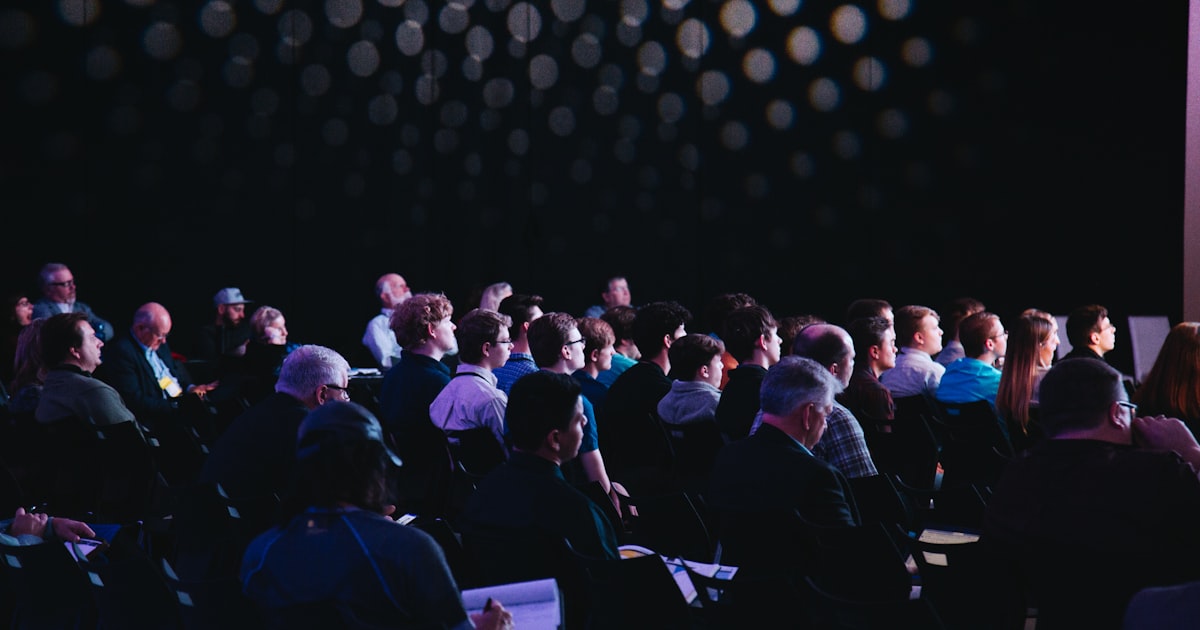
Most event video budgets are spent twice. Once on the crew that films the day, and once again three weeks later when somebody realizes the eight hours of footage sitting on a hard drive has no owner, no brief, and no distribution plan. The shoot was never the expensive part. The waste was.
Event video production sits at the intersection of live storytelling and brand communication. A well-executed event video does more than document what happened. It turns a single day into a content asset that works for months after the last guest has left. The gap between the brands that get that return and the brands that get a hard drive is almost never equipment. It is planning.
This guide covers what brands, marketers, and event organizers need to settle before calling a production crew: how to define deliverables, what crews and budgets actually look like in 2026, how AI has changed the post-production economics, and how to measure whether any of it worked.
What Is Event Video Production?
Event video production is the process of filming, editing, and delivering video content from live events. These range from corporate conferences and product launches to award ceremonies, trade shows, brand activations, and private client events.
The output varies widely. A single event might generate a two-minute highlight reel for social media, a full-length keynote recording for internal distribution, short interview clips for LinkedIn, and raw multi-camera footage for the archive. The more clearly you define the outputs upfront, the smoother the production will run.
Brands use event videos for several purposes:
- Repurposing event content into ongoing social media posts
- Building authority by showing thought leadership moments
- Creating testimonial and case study content from panel discussions
- Recruiting and culture content that shows the company in action
- Demand generation by distributing sessions from proprietary conferences
The format you are running changes the answer to almost every production question that follows. A conference video production brief and a product launch brief share a vocabulary and almost nothing else.
The Business Case for Investing in Event Video
Video content from live events has a high return when planned correctly. The event is already happening. The speakers are already there. The energy is real. Capturing it on camera adds a distribution layer that multiplies the reach of the original event many times over.
The macro numbers still support the case, with one caveat worth knowing. In Wyzowl's State of Video Marketing 2026, 91 percent of businesses report using video as a marketing tool and 93 percent of video marketers call it an important part of their strategy. But the share reporting good ROI fell to 82 percent, down from an all-time high of 93 percent the year before. Adoption went up. Satisfaction went down.
That gap is the whole argument for treating event video as a planned program rather than a booking. The market did not get worse at filming. It got worse at deciding what the footage was for before the camera arrived.
For event-sourced video specifically, the content carries a credibility that scripted productions struggle to replicate. Real reactions, real conversations, and real moments read differently to an audience that has learned to spot a studio setup. The incremental cost of filming an event you are already hosting is also modest compared to producing standalone video from scratch. One well-produced event can yield dozens of social assets, a gated session library, and a highlight reel that carries brand awareness across every channel you own.
Pre-Production: Planning That Protects Your Budget
Poor pre-production is the single biggest reason event videos disappoint. Most of the problems that show up in the edit were created weeks before the cameras rolled.
Define Your Primary Deliverable First
Before any other conversation, decide what the most important output is. Is it a two-minute brand film for the website? A series of 60-second speaker clips for LinkedIn? A full documentary of the event for internal use? Each answer drives very different production decisions.
A social highlight reel requires a different camera setup than a multi-camera keynote recording. Defining the primary deliverable first lets the production team reverse-engineer the shoot plan.
Create a Shot List and Event Schedule
Every event has a run of show. Get a copy as early as possible and map your shot list to it. Mark the moments you cannot miss (the CEO announcement, the product reveal, the awards presentation) and the moments that would be nice to have if the schedule allows.
Share this document with the event organizers. The best event video productions treat the event team and the camera crew as one integrated operation, not two separate groups working in parallel.
Scout the Venue
Lighting and acoustics are the two production variables that can ruin an otherwise great shoot. Visit the venue before the event day. Check:
- Natural light sources and whether they shift significantly during the day
- Available power outlets and their locations
- Wi-Fi reliability if you plan to stream or monitor live feeds
- Ceiling height and audience sightlines for camera placement
- Ambient noise from HVAC, street traffic, or adjacent event spaces
If venue scouting is not possible, request photos and a floor plan. It is not a perfect substitute, but it gives the crew enough to plan around.
Decide on Audio Strategy
Bad audio kills event video more reliably than bad picture. On a noisy event floor, a camera-mounted microphone captures everything except the person you actually want to hear. Budget for lavalier microphones for keynote speakers and panel moderators, and a dedicated audio operator if the event is large.
For interview segments filmed on the sidelines of the event, a directional boom microphone or a lavalier attached to the interview subject solves most of the noise problem. Decide this in pre-production, not on the day.
The Pre-Production Readiness Scorecard
Run this before you sign the production contract. Score each line 0 (not done), 1 (partially done), or 2 (documented and shared with the crew). Anything under 14 out of 20 means you are buying footage, not deliverables.
| Readiness check | 0 | 1 | 2 |
|---|---|---|---|
| Primary deliverable named, with runtime and platform | Not discussed | Verbal only | Written in brief |
| Run of show received and mapped to a shot list | No schedule | Draft schedule | Final, shot list mapped |
| Must-not-miss moments flagged by name and time | None flagged | Some flagged | All flagged and timed |
| Audio plan defined per scenario (stage, panel, floor) | Camera audio only | Partial plan | Full plan, board feed confirmed |
| Venue scouted or floor plan plus photos reviewed | Neither | Photos only | Scouted or full plan reviewed |
| Interview zone location, lighting, and subjects booked | Not planned | Location only | Location, lighting, subjects confirmed |
| Asset matrix agreed (format, ratio, runtime per output) | None | Rough list | Signed off |
| Release and consent process for attendees agreed | None | Informal | Built into registration |
| Delivery dates and review rounds in writing | None | Verbal | In contract |
| Named owner for distribution after delivery | Nobody | Unclear | Named person and calendar |
The last line is the one most teams skip and the one that most often decides the return. Footage without a named owner does not get distributed.
Production: What Happens On the Day
Crew Size and Configuration
The right crew size depends on the scale of the event and the complexity of the deliverables. A small brand event with 50 attendees and a single keynote needs a fraction of the team a multi-stage conference does. Staffing up is cheaper than missing a shot you needed.
| Event scale | Cameras | Audio | Support roles | Typical crew total |
|---|---|---|---|---|
| Small brand event, 1 stage, 1 to 3 hours | 2 operators | 1 operator | 1 producer or director | 4 |
| Medium event, 1 to 2 stages, full day | 3 to 4 operators | 1 to 2 operators | 1 producer, 1 PA | 6 to 7 |
| Large conference, 3+ stages, multi-day | 5 to 8 operators | 2+ operators | Producer per stage, drone operator, dedicated interviewer | 10 to 14 |
| Trade show booth coverage | 1 mobile operator | On-camera or lav | 1 field producer | 2 to 3 |
| Hybrid or virtual broadcast | 2 to 4 operators | 1 mixer | Technical director, graphics operator, stream engineer | 6 to 9 |
The trade show line is not a typo. In a loud exhibition hall, a single mobile operator with a mirrorless body and a good lavalier routinely captures more usable footage than a full broadcast crew, because the crew is visible and people behave differently in front of it.
Multi-Camera Setup
Most event keynotes and panels benefit from at least two camera angles: a wide shot that shows the stage and audience, and a tighter shot on the speaker. Three cameras add flexibility in the edit, particularly for panels where you want to cut to individual speakers during responses.
For the edit to flow naturally, all cameras need to be recording at the same frame rate and color profile. Brief the camera operators before the event, not in the middle of setup. A mismatched frame rate discovered in post costs more to fix than the third camera would have cost to hire.
Interview Segments
The most valuable content from most events comes from the people in the room. Short interviews of two to five minutes, filmed in a designated area of the venue, give you authentic, quotable material that works across many formats.
Set up an interview zone with controlled lighting, a clean background (branded if appropriate), and a directional microphone. Recruit speakers, attendees, and executives for quick conversations. A good interviewer can film 10 to 15 usable clips in a few hours. Those clips become speaker highlights, testimonial video content, and social assets independently of the main event film.
Capture B-Roll Continuously
B-roll is everything that is not the main stage action: people networking, coffee breaks, product demos, registration queues, sponsor activations, overhead shots of the venue. This footage is what makes the edit feel alive.
Brief one camera operator to shoot nothing but B-roll throughout the event. Give them a shot list but also the freedom to find the unexpected moments. Those shots are often the ones that make the final edit.
Post-Production: Turning Footage Into Assets
The Edit Starts in Pre-Production
The most efficient post-production starts with a clear brief. Before the shoot, write down the expected runtime, the tone, the music direction, and any mandatory elements such as logo placement, specific speaker quotes, or sponsor mentions.
When the editor opens the project with this brief already defined, they can make decisions quickly. Without it, they spend half their time asking questions.
How AI Is Transforming Event Video Editing
AI tools have changed what is possible in post-production for event content. They can now transcribe all spoken content with high accuracy, identify the strongest moments in hours of footage based on energy and quote quality, generate rough cuts from a brief, remove background noise from recordings made in difficult rooms, and auto-generate synchronized subtitles.
The adoption data is no longer speculative. Wistia's 2026 State of Video report found that more than a third of video teams already use AI in their workflow, with nearly a quarter more planning to start, and that AI users were twice as likely to produce 100 to 250 videos a year. For event work, where the ratio of raw footage to finished asset is brutal, that productivity gap is the entire story.
For event video production specifically, transcription and moment identification are the biggest time savers. Finding the best three minutes inside eight hours of footage used to be a full day of an editor's attention. It is now a search problem.
At Neverframe, our AI-accelerated post-production workflow compresses standard edit timelines while keeping the creative judgement that event content demands. The tools find the candidates. Humans still choose the cut. Talk to our team about applying that workflow to your next event.
The Asset Matrix
A single event should generate multiple distinct assets. Before the edit begins, build an asset matrix that maps each deliverable to its platform, runtime, and format:
| Asset | Platform | Runtime | Format |
|---|---|---|---|
| Highlight reel | Website, LinkedIn | 2-3 min | 16:9 |
| Speaker clips | LinkedIn, email | 45-90 sec | 16:9 or 1:1 |
| Recap teaser | Instagram, TikTok | 15-30 sec | 9:16 |
| Full keynote | YouTube, gated | 20-60 min | 16:9 |
| Quote cards (video) | 15-30 sec | 1:1 | |
| Sponsor cutdown | Sponsor channels, report | 60-90 sec | 16:9 |
Building this matrix in advance means the editor knows exactly what to cut for each deliverable without reviewing all the footage multiple times.
Color Grading and Visual Consistency
Event venues rarely have consistent or flattering lighting. A skilled colorist can correct for mixed light sources, match color across cameras, and create a look that feels cohesive even when the raw footage does not.
For branded event content, visual consistency matters. If the brand uses specific colors, those should translate to how the footage looks in the final cut. A brief grade is often the difference between video that looks professional and video that looks like it was shot on a phone.
Event Video Production Costs: What to Budget
Pricing varies enormously based on geography, crew size, equipment needs, and post-production complexity. Two independent 2026 pricing surveys, from Think Branded Media and D-MAK Productions, put most corporate event video work between 3,000 and 15,000 US dollars, with crew day rates running roughly 400 to 3,000 dollars per person depending on role and market.
Here is how that translates into the packages brands actually buy:
| Package | Crew and coverage | Deliverables | Typical US range |
|---|---|---|---|
| Half day, single camera | 1 operator, 3 to 4 hours | 1 highlight reel, 60 to 90 sec | 500 to 1,500 USD |
| Full day, two camera | 2 operators, 1 audio | Highlight reel, speaker clips, full session recording | 1,500 to 4,000 USD |
| Full day conference, full suite | 3 to 4 operators, audio, producer | Highlight reel, all sessions, interview set, social cutdowns | 4,000 to 9,000 USD |
| Multi-day conference | 5 to 8 operators, multi-stage | Cut per day, full asset suite, sponsor deliverables | 5,000 to 15,000 USD |
| Multi-day, documentary treatment | Large crew, drone, dedicated director | Long-form film plus full asset suite | 15,000 USD and up |
Day rates by role, for teams building a budget line by line:
| Role | Typical day rate (10 to 12 hour day) |
|---|---|
| Director of photography | 800 to 3,000 USD |
| Camera operator | 500 to 1,200 USD |
| Sound mixer or gaffer | 600 to 1,200 USD |
| Production assistant | 150 to 400 USD |
| Field producer | 600 to 1,500 USD |
These figures cover crew, equipment, and basic post. Motion graphics, complex animation, live streaming, same-day edits, and multi-room setups all add to the total. The real cost driver is complexity, not duration: a four-hour event with three rooms and a same-day turnaround costs more than a straightforward eight-hour single-stage shoot.
For a fuller breakdown of how production pricing is structured, see our AI video production cost guide and our guide to reducing video production costs.
The AI-accelerated workflow at Neverframe reduces post-production cost per asset rather than cutting corners on the shoot, which matters most on events that generate large footage volumes and long deliverable lists.
Mistakes That Ruin Event Video
Not Recording Audio Separately
Camera audio is fine for logging and reference. It is almost never acceptable for the final cut. Always record audio directly from the venue PA, from a dedicated mixing board feed, or from wireless lavaliers on the speakers.
Ignoring the Noise Floor
A noisy venue floor makes interview content nearly unusable unless you have the right microphones. Test your audio setup before the event starts, not during the first panel.
Skipping the Brief
Productions that start without a clear brief for the deliverables end up reshooting, or spending excessive time in the edit trying to work out what the finished video should say. A one-page brief written before the shoot saves days in post.
Over-Filming, Under-Planning
More footage is not better footage. Eight hours of loosely organized material with no shot list creates more work in post, not less. Plan your shots, film them deliberately, and spend your time on coverage rather than rolling continuously.
Forgetting the Ending
Every good event video needs an ending. A logo card, a speaker quote, a call to action, a moment of applause. Brief your camera operator to capture a clean ending shot before they wrap.
Treating Delivery as the Finish Line
The most expensive mistake on this list. A finished highlight reel with no distribution owner, no publishing calendar, and no measurement plan has converted a production budget into a file. Assign the owner before the shoot, not after the delivery.
Integrating Event Video Into Your Content Strategy
The most successful brands treat event video as a content production engine, not a one-off project. Each event generates material that feeds the content calendar for weeks or months afterward.
A well-documented conference might produce:
- A two-minute brand film published the week after
- Eight speaker clips released over the following month
- A long-form summary video gated behind a lead capture form
- Podcast-style audio cuts from panel discussions
- Blog posts that embed the session recordings
The video content strategy that drives the most return treats the event as the beginning of a content cycle, not the end.
For brands that host regular events, such as quarterly town halls, annual conferences, or product launches, building a repeatable production system matters as much as the quality of any individual video. Consistency in crew, process, and post-production template reduces the cost and effort of each successive event substantially.
Post-Event Video Strategy
The event ends. The video work continues. How you use the footage in the weeks after the event determines the actual return on the production investment.
Repurpose Before You Republish
A raw recording of a conference keynote is not a YouTube video. A 45-minute panel is not a LinkedIn post. Repurposing means identifying the moments of genuine value, structuring them for the intended distribution context, and editing to meet the expectations of each platform. A three-minute event recap video tells a different story than the full recording, and reaches a different audience.
Sequence the Content Release
Release in layers over the weeks following the event. The day-of highlight reel goes out within 24 hours while interest is at peak. Speaker clips, session summaries, and audience response content can be released weekly for the next month. Sponsor deliverables go out on the agreed timeline. A sequenced release extends the event's marketing value across weeks rather than days.
Build the Internal Case for Next Year
This year's video is the primary asset for the stakeholders deciding whether to fund next year's production. Cut a version specifically for that audience: one that shows sponsor visibility, brand touchpoints, and content quality. Decision-makers who see polished evidence of production value approve budgets more readily than those working from attendance numbers alone.
Use Attendee Content Strategically
Events generate organic attendee video on social platforms. A policy for aggregating, repurposing, and crediting user-generated content extends the content footprint without additional production cost. Build the permission structure into event registration and the social media strategy in advance, not afterwards.
Metrics for Event Video Success
Measuring event video performance requires defining what success looks like before the event, not after.
Immediate Post-event Metrics
View count and completion rate on highlight content in the first seven days. Shares and comments on social posts. Press pick-up of footage and statements. These reflect the quality of the immediate coverage and the release plan.
Lead Generation and Pipeline
For B2B events, track whether event video drives inbound contact requests, demo bookings, or sales conversations. UTM parameters on links in video descriptions allow direct attribution. A brand that can show its conference video generated 40 inbound leads in the following month has made the investment case for next year's budget without argument.
Sponsor Reporting
Sponsors evaluate event ROI partly through the video deliverables they receive. Track view counts, completion rates, and click-throughs on sponsor-specific content. Package the data into a post-event report delivered within 30 days. Sponsors who receive clear performance data renew at higher rates than those who receive general impressions.
Year-over-year Comparison
Tracking the same metrics across events allows meaningful comparison of what changed. A rise in completion rate on keynote content suggests the format evolved successfully. A decline in sponsor content performance suggests a change in how sponsor material is integrated.
Internal Engagement
For internal events, track employee engagement with the video released afterwards. View rates, completion rates, and pulse survey responses on information clarity show whether the video is meeting its internal communication objective. High completion on a CEO town hall signals effective content. Low completion signals either a content problem or a distribution problem, and the two require different fixes.
Building the measurement infrastructure before the event is what allows you to capture and act on the data at all. Retrofitting attribution after the fact rarely works.
Event Video for Different Event Types
The production approach changes significantly depending on the event format. What works for a 500-person corporate conference does not translate to an intimate product launch dinner or a multi-day festival.
| Event type | Primary objective | Coverage priority | Crew shape | Highest-value deliverable |
|---|---|---|---|---|
| Corporate conference | Breadth of session coverage | All stages, all sessions | Distributed, producer per stage | Session library plus same-day reel |
| Product launch | Brand impression | Product and audience reaction | Small, tightly directed | Brand film matched to product aesthetic |
| Trade show | Authentic engagement | Booth demos and candid reactions | 1 to 2 mobile operators | Demo clips and interview cutdowns |
| Awards ceremony | Recipient moments | Stage, reaction shots, backstage | 3+ cameras, locked wide | Winner clips for recipient sharing |
| Festival or outdoor | Atmosphere and scale | Wide coverage, high footage volume | Large, weather-contingent | Long-form documentary edit |
| Virtual or hybrid | Broadcast reliability | Stream quality, remote speakers | Technical broadcast team | Clean live recording plus VOD |
Corporate Conferences and Summits
The priority is coverage breadth and speaker quality. Simultaneous sessions require a crew distributed across venues. The deliverable mix typically includes a same-day highlight reel, individual session recordings, a keynote edit, and a sponsor sizzle. The production coordinator role is critical here, keeping crews synchronized across locations.
Product Launches
Launch events are brand moments. The video documentation should match the brand aesthetic of the product being launched: tighter creative direction, more controlled environments, more camera time on the product and on audience reaction. The footage priority is emotion and brand impression, not comprehensive coverage.
Trade Shows and Exhibitions
Trade show video faces the particular challenge of capturing genuine engagement in a noisy, chaotic environment. Booth interviews, product demonstrations, and candid attendee reactions are the most valuable content types. The crew needs to be mobile and unobtrusive.
Festivals and Outdoor Events
Multi-day outdoor events require weather contingency planning, power logistics, and crew scheduling across extended hours. Footage volume is high and the editorial work afterwards is significant. Build the post-production timeline around the footage volume, not around the assumption that outdoor material edits as efficiently as controlled studio production.
Virtual and Hybrid Events
Virtual event video production is a broadcast operation, not a traditional shoot. Stream quality, the graphics package, remote speaker management, and recording infrastructure are technical disciplines requiring specific expertise. Hybrid events, where some attendees are present and others watch remotely, require simultaneous optimization for two different audience experiences.
How to Choose an Event Video Production Partner
Not every production company has experience with live events. Studio-based crews who specialize in scripted content can struggle in the unpredictable environment of a live event. When evaluating partners, look for:
- A portfolio that includes live event work at similar scale to yours
- References from clients who used them for events, not just commercials or branded content
- A clear production brief process showing they have thought about your deliverables
- Experience with multi-camera and audio challenges in venue environments
- Defined post-production timelines and delivery formats in writing
For more on evaluating production partners, read our guide to choosing a video production agency.
Event Video Production in 2026: The AI Shift
The production landscape for event video is changing faster than almost any other segment. AI-powered tools are compressing timelines, reducing cost per asset, and letting smaller teams cover larger events without sacrificing quality.
Automatic transcription gives editors a searchable record of everything said during the event. Moment detection flags the most energetic or quotable segments across hours of footage. Audio cleanup rescues recordings that would previously have been written off.
What has not changed is the part that decides whether the video works. Plan well, capture clean audio, shoot deliberate coverage, and edit with a clear purpose. AI has made the fundamentals cheaper and faster to execute. It has not made them optional. The AI video production framework we use at Neverframe applies these tools to every event project we take on, and the brief still comes first.
Frequently Asked Questions
How much does event video production cost in 2026? Most corporate event video work falls between 3,000 and 15,000 US dollars. A half-day single-camera shoot with one highlight reel typically runs 500 to 1,500 dollars, a full-day two-camera shoot with speaker clips runs 1,500 to 4,000, and multi-day conference coverage with a full asset suite runs 5,000 to 15,000. Crew day rates sit between 400 and 3,000 dollars per person depending on role. Complexity, not duration, is the main cost driver: multi-room setups, live streaming, and same-day edits raise the total faster than extra hours do.
How long does it take to receive event video after the event? A same-day or next-day highlight reel is standard for events where social momentum matters, and should be agreed in the contract rather than requested afterwards. Full session recordings typically arrive within one to two weeks. A full asset suite with speaker clips, sponsor cutdowns, and social variants usually lands within two to four weeks. AI-accelerated post-production compresses these windows meaningfully, particularly on events with high footage volume.
How many cameras does an event actually need? Two is the practical minimum for any stage content: a locked wide shot that protects you if anything goes wrong, and a tighter shot on the speaker. Three cameras make panels editable, because you can cut to individual speakers during responses. Multi-stage conferences need a camera team per stage plus a roaming B-roll operator. A single camera is only sufficient for short, single-speaker events where a brief highlight reel is the sole deliverable.
What is the biggest cause of unusable event footage? Audio, by a wide margin. Camera-mounted microphones capture room noise rather than the speaker, and no amount of post-production fixes a recording made from the back of a loud hall. Record from the venue mixing board, use lavaliers on stage subjects, and use a directional microphone for floor interviews. The second biggest cause is mismatched frame rates or color profiles across cameras, which is a briefing failure rather than a technical one.
How do you measure whether event video was worth the budget? Define the metric before the event. For B2B events, track inbound requests, demo bookings, and pipeline attributed through UTM parameters on video links. For brand events, track completion rate and share rate on highlight content in the first seven days. For sponsor deliverables, track view counts and click-throughs and deliver a written report within 30 days, since sponsors who receive performance data renew at higher rates. For internal events, track view and completion rates against pulse survey responses on message clarity.
The Short Version
Event video production is one of the highest-leverage content investments a brand can make, and one of the easiest to waste. The event is already happening. The stories are already there. The difference between an asset and a hard drive is decided in pre-production.
Name the primary deliverable. Map the shot list to the run of show. Solve audio before the day. Build the asset matrix before the edit. Assign a distribution owner before the shoot. Then use AI-accelerated post-production to cut timelines and cost per asset wherever the work is mechanical rather than creative.
Ready to make your next event work harder as a content asset? Talk to the Neverframe team about event video production.