Video Storyboard Complete Guide
A complete video storyboard guide for 2026: types, eight-step process, AI tools, templates, and pricing for brands that take pre-production seriously.
Published 2026-05-01 · AI Video Production · Neverframe Team
What Is a Video Storyboard?
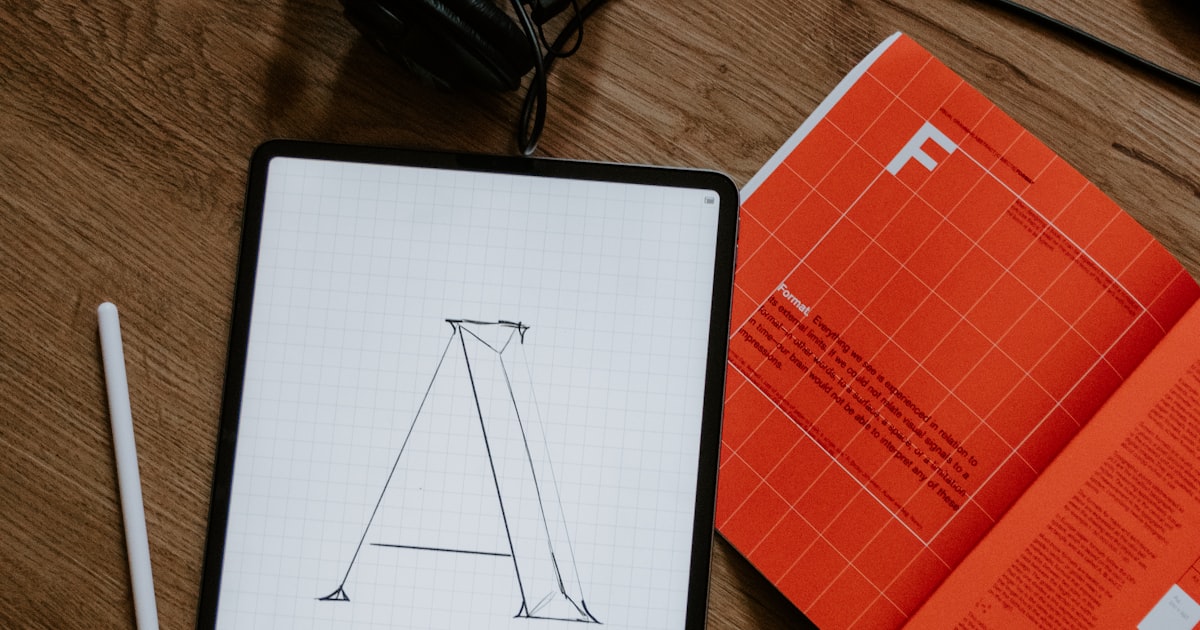
A video storyboard is the visual blueprint of your video, a sequence of sketches, frames, or AI-generated images that map every shot, camera angle, and beat before a single second of footage gets produced. For brands operating in the AI-era of video production, the storyboard is no longer a nice-to-have artifact buried in pre-production. It's the single most powerful alignment tool between strategy, creative, and execution.
Think of it as architectural plans for a building. You wouldn't pour concrete without blueprints, yet most marketing teams still greenlight video budgets without a clear, frame-by-frame visualization of what they're paying for. The result? Misaligned creative, expensive reshoots, and final cuts that don't match the brief. According to Wyzowl's State of Video Marketing, 91% of businesses now use video as a marketing tool, and the ones who systematize their pre-production process consistently outperform those who improvise.
A modern video storyboard combines three layers of information into a single document:
- Visual representation: what each shot looks like, framing, composition, and motion
- Narrative flow: the order of shots and how they advance the story
- Production logistics: voiceover lines, music cues, transitions, on-screen text, and shot durations
The discipline that produced great cinema for a century has now become the standard operating procedure for performance marketers, brand teams, and AI video production companies alike. The format has evolved from hand-drawn panels to AI-generated previz frames, but the function remains identical: reduce ambiguity, lock decisions early, and give every stakeholder the same mental picture of the finished video.
Why Video Storyboards Matter More Than Ever
The economics of video have shifted dramatically. Where a single 30-second commercial once cost hundreds of thousands of dollars to produce, AI-augmented production pipelines have collapsed timelines and budgets significantly. But that compression has a hidden cost: with less time to iterate on set, the storyboard has become the primary battleground for creative decisions.
Three forces make storyboards more critical in 2026 than they were in 2020:
Brands now produce more video than ever
According to HubSpot's State of Video Marketing Report, the average B2B brand now produces between 30 and 50 videos per quarter, up from a handful in 2020. This volume is impossible to manage without standardized pre-production artifacts. A storyboard becomes the contract that scales: every piece of content gets greenlit against the same template.
AI generates faster than humans can review
Generative video models can produce 8-second clips in 60-90 seconds. Without a storyboard locking the visual direction, teams burn entire afternoons generating variations of the wrong shot. The storyboard front-loads the creative decision so the generation phase becomes execution, not exploration.
Stakeholders need to approve before shooting
In agency and in-house workflows, marketing directors, brand stewards, and legal teams all need to sign off on video creative. A storyboard is the only artifact that lets non-production stakeholders see the video before it exists. Skipping this step means revisions happen on the final cut, at multiples of the original cost.
If you're still treating storyboarding as optional, you're paying a tax of roughly 30% on every video you produce, split between rework, missed deadlines, and creative ambiguity.
The Five Types of Video Storyboards
Not all storyboards are created equal. The right level of detail depends on the type of video, the size of the team, and the production budget.
1. Thumbnail Storyboard
The simplest form: rough sketches the size of a postage stamp, just enough to communicate the shot composition. Best for internal brainstorming and early concept exploration. A thumbnail storyboard for a 60-second video might consist of 12-15 panels.
2. Standard Storyboard
The industry default: frames sized roughly 4:3 or 16:9, with descriptions of action, dialogue, and camera movement underneath each panel. Most agency storyboards live here. They're detailed enough to direct the shoot but flexible enough to allow on-set creativity.
3. Animated Storyboard (Animatic)
A timed sequence of storyboard frames played at the intended pacing, often with scratch voiceover and rough sound. Animatics are essential for any video over 60 seconds because they reveal pacing problems that static panels cannot show. Pixar famously refuses to greenlight production until the animatic works.
4. AI-Generated Photoreal Storyboard
The 2026 standard: high-fidelity AI-generated frames that look almost like the final video. Tools that produce these frames have collapsed the gap between concept and execution. Brand directors can now see what a luxury car commercial will actually look like, not a rough sketch they have to interpret.
5. Interactive Digital Storyboard
Web-based storyboards that let multiple stakeholders comment on individual frames, reorder shots, and track approvals. These have become standard in distributed teams and replace the email-PDF-revision cycle that used to consume entire weeks.
For most brand work, a hybrid approach wins: AI-generated photoreal frames for hero shots, standard sketches for connective tissue, and an animatic to lock pacing.
How to Create a Video Storyboard: The Eight-Step Process
A great storyboard is not drawn in isolation. It emerges from a structured pre-production process that connects creative strategy to executable shots.
Step 1: Lock the Brief
Before opening any storyboard tool, the brief must be written, approved, and unambiguous. The brief defines:
- The single objective of the video (one sentence)
- The target audience and what action they should take
- The platforms where the video will run (each platform shapes aspect ratio and duration)
- The brand voice constraints (tone, terminology, what's off-limits)
- The production budget and timeline
A 30% creative effort spent here saves 70% of revision pain later. If you don't have a strong brief template, our video production brief guide walks through the exact framework we use for client work.
Step 2: Write the Script
Storyboards visualize what the script describes. They cannot replace the script. A two-column script (visual on left, audio on right) is the natural input to a storyboard. Every line in the script becomes a frame or sequence of frames.
For brand video, scripts should be written in the voice of the audience, not the brand. The storyboard then translates that voice into visual grammar. Our complete walkthrough on writing video scripts is in how to write a video script.
Step 3: Identify the Hero Shots
In every 60-second video, three to five shots carry the entire emotional weight. These are the shots stakeholders remember, that the audience screenshots, that get clipped into social cutdowns. Identify these first.
Hero shots get the highest fidelity in the storyboard, usually AI-generated photoreal frames. The connective shots between them can stay as quick sketches.
Step 4: Block the Camera Movement
For each shot, specify:
- Camera position (wide, medium, close)
- Camera movement (static, dolly, pan, tilt, push-in)
- Lens choice (suggested focal length affects perspective)
- Subject blocking (where people or objects sit in the frame)
This is where most amateur storyboards fail. They show what's in the frame without specifying how the camera moves through space. AI video generation models are now expressive enough that camera direction is a first-class production decision.
Step 5: Add Pacing and Timing
Every panel needs a duration. A 60-second video might break down into 18 shots at 3.3 seconds each, or 30 shots at 2 seconds each, or 6 shots at 10 seconds each. The cutting rhythm carries as much emotion as the shots themselves.
Mark transitions explicitly: hard cut, dissolve, match cut, whip pan. Note where music transitions land. If you're producing for TikTok or Reels, the first 1.5 seconds is the entire battle for attention. Storyboard those frames at the highest fidelity.
Step 6: Specify Audio and Text
Each frame should note:
- Voiceover lines (exact text)
- Sound effects
- Music cues (with reference tracks if needed)
- On-screen text (with positioning and exit timing)
- Lower-thirds and graphics
Audio and text are where rushed storyboards get messy. Building them into the storyboard panel-by-panel forces them to be considered as part of the visual story, not bolted on in post-production.
Step 7: Stakeholder Review
Distribute the storyboard to all stakeholders before any production begins. The review should cover:
- Strategic alignment: does this video achieve the brief?
- Brand fit: is the visual language on-brand?
- Legal and compliance: any imagery, claims, or comparisons that need review?
- Production feasibility: can the budget actually deliver these shots?
Resist the temptation to skip this step on tight timelines. A 45-minute review with the right people is cheaper than a 4-day reshoot.
Step 8: Lock and Distribute
Once approved, the storyboard becomes the production bible. Every shot list, prop list, location scout, and edit decision references back to this document. Changes after lock require formal change requests, not Slack messages.
Video Storyboard Tools: The 2026 Landscape
The tooling landscape has bifurcated into two categories: traditional storyboard software for hand-drawn workflows, and AI-powered platforms that generate photoreal frames from text prompts.
Traditional Storyboard Tools
Storyboard That is web-based, drag-and-drop, with a character library. Best for non-artists creating internal storyboards quickly. Limited to sketch fidelity.
Boords is collaboration-focused, with version history and shot-list export. Popular with agencies managing multiple client storyboards.
FrameForge offers 3D-based storyboarding for complex shots. Used in feature film pre-vis. Heavy software with a steep learning curve.
Storyboarder by Wonder Unit is free, open-source, and hand-drawing focused. Great for filmmakers with sketching skills.
AI-Powered Storyboard Tools
Midjourney plus ChatGPT pipeline is the unofficial standard. Use ChatGPT to generate detailed image prompts from your script, then Midjourney to render high-fidelity frames.
Runway generates moving storyboard frames (small video clips) directly from text. Useful for animatics where motion matters.
LTX Studio is a full pre-production platform that takes a script and generates storyboards, character consistency, and rough animatics in a single workflow.
Krea AI offers fast iteration on storyboard frames, useful for exploring multiple visual directions of the same shot.
The right stack depends on the video. For a small social media campaign, Midjourney plus ChatGPT covers it. For a large brand film, you'll want a pre-production platform that maintains character consistency across 40+ frames. Brands moving in this direction can read more in our AI video production guide.
Video Storyboard Best Practices from Production Veterans
Twenty years of video production has produced patterns that the best teams treat as gospel.
Storyboard the audio, not just the picture
Most storyboards forget that video is half audio. Mark every voiceover beat, every music transition, every silent moment. A three-second silence in a brand film is a deliberate creative choice. Make it visible in the storyboard so stakeholders don't ask "why is nothing happening here?"
Frame for the platform, not the medium
A storyboard for YouTube is not the same as a storyboard for TikTok. YouTube tolerates a 5-second runway before the hook. TikTok demands the hook in frame one. Brands producing the same video for multiple platforms should produce platform-specific storyboards, not one master version.
Show the negative space
What's outside the frame matters. Storyboard panels should hint at the world around the shot, including where characters came from, where they're going, what's just out of view. This prevents the rookie mistake of cutting between visually disconnected shots that confuse the viewer.
Keep one frame per beat, not per shot
A complex shot might contain three beats: establishing position, action, and reaction. Storyboard each beat separately even if they happen in a single take. This makes the editing rhythm explicit and prevents shots that "do too much."
Storyboard the cuts, not the shots
Cinema is not made of shots. It's made of cuts. The relationship between shot N and shot N+1 carries more meaning than either shot alone. When reviewing a storyboard, read it like you're at the editor's monitor, frame to frame, asking "what does this cut do?"
Common Video Storyboard Mistakes Brands Make
Working with hundreds of brand teams has revealed a consistent pattern of mistakes, most of them rooted in skipping the discipline of pre-production.
Mistake 1: Storyboarding too late
The storyboard should be ready before the shoot date is locked, not 48 hours before camera. Late storyboards force the production team to compromise: booking locations, casting talent, and renting equipment without knowing what the shots actually need.
Mistake 2: Treating storyboards as decoration
Some teams produce storyboards as a checkbox for the production process, then ignore them on set. This is worse than not having a storyboard. It pays for the artifact without using its decision-making value.
Mistake 3: Over-storyboarding micro-content
A 6-second TikTok ad does not need a 12-panel storyboard. It needs 2-3 panels and a clear hook. Calibrate the storyboard fidelity to the project size. Over-engineering pre-production is just budget waste.
Mistake 4: Skipping the animatic
For any video over 30 seconds, the animatic is non-negotiable. Pacing problems are invisible in static frames. The animatic catches them at the cheapest possible moment to fix them.
Mistake 5: Forgetting the silent video pass
According to Forbes, the majority of social video is watched on mute. If your storyboard only works with audio on, you've designed a video that fails for most of your audience. Always do a silent pass on the storyboard. Does the story still land with no voiceover?
How AI Is Changing Video Storyboarding
The rise of generative AI has compressed the gap between storyboard and finished video. Three shifts are reshaping how brands think about pre-production.
Photoreal storyboards become the default
When AI can generate frames that look almost like the final video, the storyboard stops being an interpretive sketch and becomes a near-final preview. This collapses the creative review process. Stakeholders are no longer asked to imagine what a shot looks like. They're shown it.
The storyboard becomes the prompt
In AI video production pipelines, the storyboard frame literally becomes the input to the generation model. The detail you put into the storyboard prompt determines the quality of the generated video. This makes storyboarding a more technical discipline: prompt engineering meets visual storytelling.
Storyboard-to-video automation
Several platforms now automate the storyboard-to-video pipeline. You finalize a storyboard, the system generates the corresponding video clips, and you assemble them in an editor. The human creative decisions concentrate in the storyboard phase. The execution phase becomes algorithmic.
The implication for brand teams: invest more in pre-production, less in post-production. The video industry's traditional bias of spending 10% of budget on pre-production, 50% on production, 40% on post is inverting. AI-native productions look more like 40% pre-production, 30% production, 30% post.
This shift reshapes what video production agencies need to deliver. Selecting partners who understand this rebalance is critical. Our how to choose a video production agency guide breaks down the specific questions to ask in 2026.
Video Storyboard Templates That Work
Templates accelerate storyboarding without sacrificing quality. The right template depends on the video type.
Hook-Story-Payoff Template (for social ads)
Three sections, eight panels total:
- Hook (panels 1-2): Pattern interrupt, immediate visual or claim
- Story (panels 3-6): Build tension, demonstrate problem, introduce solution
- Payoff (panels 7-8): Resolution, call to action, brand sign-off
This template works for TikTok, Reels, and YouTube Shorts. Total runtime: 15-30 seconds.
Problem-Agitation-Solution Template (for VSLs and explainers)
Five-act structure across 15-20 panels:
- Act 1: Establish the audience's problem
- Act 2: Agitate the cost of inaction
- Act 3: Introduce the solution
- Act 4: Demonstrate proof and credibility
- Act 5: Drive specific action
Best for videos in the 60-180 second range.
Brand Story Template (for brand films)
Six-section narrative arc across 25-40 panels:
- Cold open: Visual hook with no exposition
- Context: Set the world the brand operates in
- Tension: Introduce the conflict the brand resolves
- Brand entry: First brand presence appears
- Transformation: Show the change the brand creates
- Resolution: End on the brand's vision
Used for brand films in the 60-180 second range, often with cinematic production values.
Product Demo Template (for SaaS and ecommerce)
Four-section walkthrough across 8-15 panels:
- Setup: Show the user before the product
- Trigger: Introduce the moment they need it
- Use: Demonstrate core functionality
- Outcome: Show the user with the product, transformed
Effective for product launches, feature explainers, and onboarding videos.
Pricing a Video Storyboard
Storyboard costs vary widely depending on fidelity and the experience of the artist. Here's the 2026 market reality:
- DIY thumbnail storyboard: minimal cost, produced internally, used for early concept exploration
- Standard agency storyboard: typically four-figure budgets, sketched by a freelance storyboard artist, 15-30 panels
- AI-generated photoreal storyboard: lower four-figure range, produced via tools like Midjourney with prompt engineering work
- Animated storyboard / animatic: mid four-figure range, includes scratch voiceover, rough sound, timing
- Full pre-vis with character consistency: five-figure range, used for high-budget brand films and commercials
For most brand video work, a storyboard budget of 5-10% of total production cost is appropriate. Skipping or under-investing here is the leading cause of post-production overruns.
When You Should Skip the Storyboard
There are exactly three situations where a storyboard adds friction without value:
- Live-recorded interviews and podcasts: when the content is captured, not directed, the storyboard becomes a prop. Use a shot list and lighting plan instead.
- Highly improvised content: UGC-style content from creators thrives on spontaneity. A formal storyboard suffocates the energy that makes UGC work.
- Repurposing existing footage: when you're recutting existing content, the storyboard is replaced by an EDL (edit decision list).
For everything else, including scripted brand video, performance ads, explainers, demos, training, and recruitment, the storyboard is non-negotiable.
The Future of Video Storyboarding
Three trends are converging that will reshape storyboarding by 2027:
Real-time collaborative storyboarding: multiple stakeholders editing the same storyboard simultaneously, with AI suggesting frame variations as the team works. The storyboard becomes a living document, not a deliverable.
Voice-driven storyboard generation: describe the video out loud, the AI produces a draft storyboard for refinement. This collapses the time from creative idea to first storyboard from days to minutes.
Storyboard-as-code: storyboards expressed as structured data (JSON or similar), making them programmatically combinable, searchable, and reusable across campaigns. Brand asset libraries become storyboard libraries.
The teams investing in storyboard discipline now will have a structural advantage as these tools mature. The storyboard is becoming the most valuable artifact in the video production stack: the place where strategy, creativity, and AI execution all converge.
Storyboarding Across Video Categories
Every category of video has its own storyboard rhythm. A unified template that ignores these differences delivers mediocre work across the board.
Performance ads and direct response
Performance creative storyboards live or die on the first frame. The hook must be visualized at maximum fidelity. For a Meta or TikTok ad, the storyboard often shows three different opening hooks side-by-side, with downstream frames identical. This makes A/B testing logic visible at the storyboard stage.
Brand films and cinematic content
Brand films require storyboards that emphasize visual mood and tone, not just shot composition. Color palette, lighting direction, and lens choice should be consistent across the storyboard. The animatic phase is critical: brand films need pacing that breathes, and that's only audible (or visible) in time-based review.
Explainer videos and training content
Explainers benefit from storyboards that visualize abstract concepts. Each panel should answer "what would a viewer see if they had to learn this from images alone?" The best explainer storyboards have visual metaphors layered onto every script line.
Executive and CEO content
For executive video, including interviews, statements, and internal comms, the storyboard becomes a shot list with environmental notes. Where will the executive sit? What's behind them? How is the room lit? These environmental decisions communicate as much as the words spoken.
Localized and multi-market video
Brands producing video for multiple markets need storyboards that flag culturally specific elements. A panel showing two people shaking hands works in some markets and offends in others. A storyboard with a "localization layer" surfaces these decisions early, before expensive localized cuts are produced.
The discipline is universal. The execution adapts. Teams that treat storyboarding as a single template applied to every project miss the strategic value of pre-production.
How Neverframe Approaches Video Storyboarding
At Neverframe, every project begins with a structured storyboard sprint. For brand films, performance creative, executive content, and AI-generated videos, the storyboard is the central artifact that connects strategy to delivery. We treat it not as a deliverable but as the contract between intent and execution.
If you're planning brand video work for 2026 and want a partner that takes pre-production seriously, and uses AI to compress timelines without compromising quality, explore Neverframe's services and see how cinematic storyboarding becomes a strategic advantage rather than a production tax.
The brands that will win the next decade of video are the ones who treat the storyboard as the most valuable 5% of their production budget. Everything downstream gets faster, cheaper, and better when the blueprint is right. Sources:
Work with Neverframe. If you want this executed rather than explained, talk to the studio or compare the production packages.