Video Production Workflow
The definitive guide to building a video production workflow that delivers consistent results, reduces costs, and scales with your content needs in 2026.
Published 2026-04-01 · Video Production · Neverframe Team
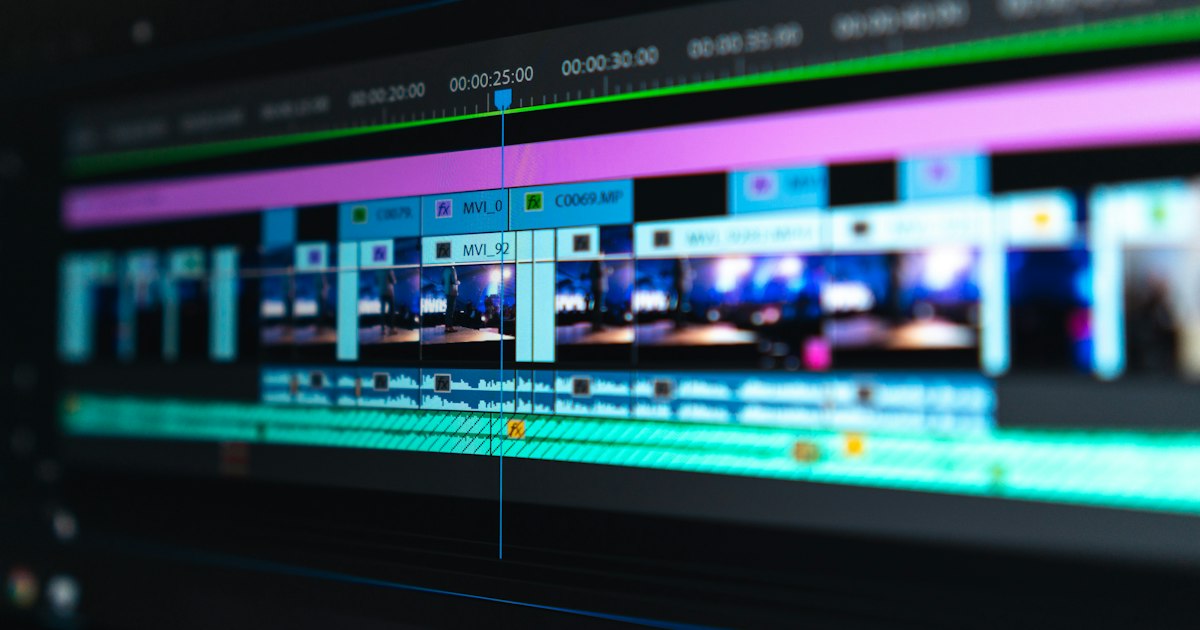
A video production workflow is the operational backbone of any content team that produces video at scale. Without one, every project starts from scratch. Decisions get made twice. Handoffs break. Timelines slip. With a well-designed workflow, a team can produce more content, at higher quality, with fewer surprises.
This guide is for content directors, marketing managers, creative leads, and production coordinators who want to build or improve a video production workflow. It covers the full lifecycle from brief to delivery, the tools that make each phase run more efficiently, and how AI is compressing timelines without compromising creative quality.
Why Workflow Matters More Than Talent
Most production problems are workflow problems. A talented team without a clear workflow wastes enormous amounts of time managing logistics that should be invisible. A structured team with a clear workflow gets predictable results because every person knows their role, their inputs, and their expected outputs at each stage.
This is not an argument against talent. It is an argument that talent cannot express itself efficiently without structure. The most productive video teams are almost always the ones with the most disciplined workflows, not the ones with the largest budgets.
A study by Forrester Research found that structured creative production workflows reduce rework rates by up to 40% and cut average project timelines by nearly a third. The gains come primarily from eliminating the informal coordination costs that accumulate when process is unclear.
The Six Phases of a Video Production Workflow
Phase 1: Brief and Strategy
Every video project starts with a brief. The brief defines the purpose, audience, message, and expected outcomes of the video. It is the document that every subsequent decision refers back to.
A strong brief answers these questions:
Purpose: What is this video trying to do? Drive traffic, explain a product, train employees, build brand awareness, generate leads? A single clear purpose produces a better video than multiple competing objectives.
Audience: Who is watching this? Where are they in the customer journey? What do they already know, and what do they need to understand by the end of the video?
Message: What is the one thing the audience should take away? Not three things, not a list of features. One core message.
Tone: How should this feel? Authoritative and technical, warm and human, energetic and fast-paced? Describe the tone in three words and attach reference videos.
Deliverables: What formats are required? 16:9 for YouTube, 1:1 for Instagram, 9:16 for TikTok/Reels? Will there be multiple cuts of different lengths?
Timeline and budget: What are the hard deadlines and the production budget? These two variables shape every downstream decision.
Weak briefs produce weak videos. Invest time here. The brief should be approved by all stakeholders before any creative development begins.
Phase 2: Pre-Production
Pre-production is where the video is designed. Everything that happens in pre-production is an investment in making the production day run efficiently.
Script or treatment: For scripted videos, write the script before any other decisions are made. The script defines the length, the voiceover or on-screen talent needs, the visual coverage required, and the post-production complexity. For non-scripted productions (interviews, events, documentary-style content), a treatment describes the approach and the key elements to capture.
Storyboard or shot list: Even a rough storyboard forces the director and DP to think through how they will execute each scene. A shot list at minimum ensures that the production day covers all the footage the editor will need.
Location and talent: Confirm locations with permits if required. Lock talent (on-screen presenters, actors, voiceover artists) with confirmed availabilities. Brief everyone involved on the concept and their specific role.
Equipment and crew plan: Match the crew size and equipment to the complexity of the shoot. A simple talking-head interview needs a different setup than a multi-location product video with drone coverage and motion graphics placeholders.
Review pre-production checklist: Before the shoot, confirm that every element is in place. Missing a signed location release or arriving at a location without the right audio equipment creates problems that cannot be solved in post.
Phase 3: Production
Production is the execution of the plans made in pre-production. In a well-run workflow, the production day should feel organized and calm, not chaotic.
The call sheet: Distribute a call sheet to every crew and cast member before the shoot. The call sheet includes the schedule, location addresses, parking information, equipment list, emergency contacts, and any special requirements for the day. If crew members are arriving without a call sheet, the production is not well-organized.
Monitoring and quality control: Designate someone on set to monitor for quality issues in real time. This might be the director reviewing playback after key setups, or a producer checking audio levels continuously. Problems caught on set cost almost nothing to fix. The same problems caught in the edit can require a reshoot.
Data management: Establish a clear protocol for how footage is moved from the camera to a drive, how drives are labeled, and how backups are handled. Data loss from an unorganized media management system is rare but catastrophic. Back up footage to two separate drives before the production day ends.
Daily wrap notes: At the end of each shoot day, the director or producer should document what was captured, what was left incomplete, and any notes for the editor. This takes 15 minutes and saves hours of confusion in post.
Phase 4: Post-Production
Post-production is where the video is assembled from its components. A clear post-production workflow requires defined roles, clear handoff documents, and a review process that minimizes revision cycles.
Footage organization and logging: Before editing begins, log all footage. At minimum, organize media by scene, camera, and setup. For longer projects, a proper logging pass that identifies usable takes saves enormous time in the edit.
Offline edit (rough cut): The editor assembles the footage according to the script or treatment. The offline edit focuses on story and structure, not final picture quality. Color grading and final audio mix happen later.
Internal review: The rough cut is reviewed internally before being shared with stakeholders or clients. Internal review catches obvious problems before they create a negative impression in the external review. Brief the internal reviewer on what to comment on (is the story structure working? are all the required messages present?) versus what not to comment on yet (the color grade is not done, the music is a placeholder).
Client or stakeholder review: Share the rough cut with a clear review guide. Specify what is final and what is still placeholder. Ask for structured feedback focused on the brief and the objectives. Unstructured feedback creates revision cycles that serve no one.
Picture lock: Once the edit is approved at the rough cut stage, declare picture lock. After picture lock, no further changes to the edit structure are made. This is the point at which final color grade, audio mix, motion graphics, and VFX work begins.
Final delivery: Deliver all required formats as specified in the brief. Confirm receipt and obtain final approval in writing before closing the project.
Phase 5: Distribution and Deployment
Production ends at delivery, but the video's work is just beginning. Distribution is its own phase that requires planning and resources.
Platform optimization: Each platform has specific requirements for video format, file size, resolution, and metadata. YouTube, LinkedIn, Instagram, TikTok, and company intranets each have different specifications. Prepare platform-specific exports before the delivery deadline.
SEO and metadata: For publicly distributed videos, invest time in metadata. YouTube title and description should be optimized for search. Thumbnails should be custom-designed rather than auto-generated. Captions should be reviewed for accuracy, since auto-generated captions have a meaningful error rate.
Scheduling and amplification: Determine the publishing schedule and the paid or organic amplification plan before the video goes live. A video published without a distribution plan gets a fraction of the attention it deserves.
Phase 6: Review and Optimization
The most often-skipped phase of any video production workflow is the retrospective. After each project or at regular intervals (monthly or quarterly), review the workflow itself.
What took longer than expected? Where did revisions accumulate? What briefs were weak? What approvals were slow? What tools created friction? Systematic improvement of the workflow compounds over time into a significant competitive advantage.
Track key metrics per project: total production hours, number of revision rounds, time from brief to delivery, cost per deliverable. These numbers reveal where the workflow is losing efficiency.
Tools for a Modern Video Production Workflow
The tools you choose should reduce friction, not introduce it. Here are the functional categories and what to look for in each:
Project management: A shared workspace where briefs, scripts, shot lists, and review notes live. The best solutions show everyone on the team what is due, who is responsible, and what the current status is.
Script and brief collaboration: Real-time document collaboration that allows multiple stakeholders to review and comment on scripts before they are approved.
Asset management: A media library where footage, graphics, brand assets, and approved deliverables are stored and accessible to everyone who needs them. File naming conventions matter here. Establish them before the project begins and enforce them.
Review and approval: Dedicated video review platforms allow frame-accurate commenting, version management, and approval workflows. These are vastly more efficient than reviewing video via email.
Edit software: The dominant professional tools are well-known. What matters more than which tool you use is that the team has agreed on a shared project structure, naming convention, and export settings before the project begins.
Distribution scheduling: Tools that allow you to prepare social media posts, add metadata, and schedule distribution in advance of the publish date.
Building an AI-Augmented Video Production Workflow
AI tools are now integrated into every phase of the video production workflow, and the teams that adopt them systematically are producing more content with smaller teams and tighter timelines.
Brief phase: AI writing tools can help develop comprehensive briefs from rough notes, suggest audience research, and identify comparable content for reference.
Script phase: AI-assisted scriptwriting accelerates first drafts. The output requires human editing, but it compresses the blank-page problem significantly.
Pre-production: AI tools can generate storyboard-style visual references from script descriptions, helping directors and clients align on visual direction before a single camera has been picked up.
Production: AI-powered camera tools can automate some tracking and framing tasks, reducing the crew size needed for certain setups.
Post-production: This is where AI has the most immediate impact. Automatic transcription, rough cut generation from raw footage, AI audio cleanup, automated subtitle generation, background removal and replacement, and AI color matching are all available in production-quality tools today.
Distribution: AI tools can generate platform-specific metadata, create thumbnail variations for A/B testing, and identify optimal publishing times.
For a detailed look at what AI-powered production looks like in practice, see our guide to AI video production and AI video content creation. For the specific cost implications, our AI video production cost guide covers the numbers in detail.
Scaling Your Video Production Workflow
A workflow that works for one video per month breaks at ten per month. As volume increases, the friction points in a workflow multiply. Here is how to scale without losing quality:
Templatize Repeating Deliverables
Identify the video formats you produce repeatedly and build templates. A social media ad has the same structure every time. An internal training video follows a consistent format. A product demo has a predictable arc. Build edit templates, motion graphics templates, and brief templates for each recurring format.
Templates reduce start-from-scratch decisions and make it faster to onboard new team members to the production process.
Define Review Lanes
As production volume scales, the bottleneck usually becomes review and approval, not production itself. Define who reviews what and with what authority. Not every video needs executive review. Establish clear criteria for when a video escalates versus when it can be approved at the production team level.
Build a Vendor Network
Internal teams have fixed capacity. A reliable network of freelance directors, editors, colorists, and motion designers allows capacity to flex with demand without adding permanent headcount. Invest time in qualifying and briefing your vendor network before you need them under deadline pressure.
Integrate AI at Every Phase
The teams producing the highest volume of video content without proportional increases in headcount are the ones using AI tools systematically across the workflow. Brief-to-script acceleration, automated post-production workflows, and AI-assisted distribution optimization compound to create a significant capacity advantage.
At Neverframe, our production workflow is built AI-first from brief to delivery, which means we can offer faster turnaround and more deliverables at comparable or lower cost than traditional production workflows. Talk to us about how our workflow can serve your content program.
Common Workflow Failures and How to Fix Them
Approvals That Never End
Revision cycles that continue past the third round usually indicate one of two problems: the brief was insufficiently clear, or the approval process involves stakeholders who were not engaged during the brief phase.
Fix: Require stakeholder sign-off on the brief before production begins. Define how many revision rounds are included in scope. Identify the single decision-maker for each phase.
Production Days That Run Over Schedule
Shoots that consistently run over schedule usually have one of three root causes: the shot list is too ambitious for the available time, setup times are being underestimated, or there is no 1st AD enforcing the schedule.
Fix: Build a realistic schedule with setup time included. Add a 20% time buffer for unexpected delays. Put someone in the role of schedule manager whose job is to keep the production moving.
Footage That Cannot Be Found
Unorganized media libraries waste enormous amounts of time and create anxiety in teams that need to find assets quickly. The problem is almost always the result of inconsistent naming conventions and no agreed folder structure.
Fix: Establish a naming convention and folder structure before the first project begins. Enforce it. Back up everything in two locations minimum.
Videos That Perform Below Expectations
If consistently well-produced videos are generating poor results, the problem is almost always at the strategy and brief phase, not the production phase. Beautiful videos that fail to connect with the right audience or deliver a clear message will not drive results regardless of how good they look.
Fix: Add performance review to the workflow. After each video has been live for 30-60 days, review the results against the brief objectives. Use those findings to improve the next brief.
A well-run video production workflow is a genuine competitive advantage. Content teams that produce consistently and efficiently win more attention, build stronger audiences, and generate better results from their production budgets. The investment in building the workflow pays for itself many times over.
For more on how video content strategy connects to production execution, see our guide to video content strategy for brands and our complete video production process guide.
Measuring Workflow Performance
A video production workflow without performance measurement is a workflow that cannot improve. The metrics worth tracking fall into two categories: process metrics and output metrics.
Process metrics tell you how efficiently the workflow itself is running. Cycle time from brief to delivery is the most useful single number. Track it per project type. A 60-second social video should have a different target cycle time than a 10-minute training video, and tracking them together obscures the data. Other useful process metrics include: revision cycles per project (more than three is a warning sign), footage ratio (hours shot to minutes delivered), and approval turnaround time by stakeholder.
Output metrics measure whether the video content is achieving its intended purpose. These are specific to the video type. A brand awareness video is measured by reach and completion rate. A product video is measured by its downstream effect on conversion. A training video is measured by post-training assessment scores or behavior change. Build the measurement plan at the brief stage, not after the video launches.
Benchmarking against your own history: The most useful benchmarks are internal. A production team that can see its own cycle time, revision rate, and output metric trends over 12 months has the data to make specific workflow improvements. External industry benchmarks vary too widely by company size, team structure, and content type to be reliable guides for internal decision-making.
According to Wyzowl's State of Video Marketing report, 96% of video marketers say video has helped increase user understanding of their product or service, which reflects the output quality that a disciplined production workflow makes possible over time.
Tools and Technology for Each Workflow Stage
The right tools at each stage reduce friction and keep projects moving. The wrong tools, or too many tools, create version confusion and coordination overhead.
Pre-production tools: Project management platforms (Asana, Monday, ClickUp, or Notion) work for brief management and approval tracking. The key is consistency. Pick one and use it for every project so that stakeholders learn one system. Script tools range from Google Docs for simple projects to dedicated screenwriting software for scripted content. Storyboard templates in Figma or dedicated tools like Boords work for projects where visual pre-approval matters.
Production tools: Shoot scheduling software, call sheet generators, and cloud-based shot list tools reduce the administrative burden on production coordinators. Camera file management protocols, including how footage is named, where it lives, and how it is backed up the moment it comes off the camera, need to be standardized before any shoot.
Post-production tools: Editorial platforms (Premiere Pro, DaVinci Resolve, Final Cut Pro) are the core, but the workflow around them matters as much as the software itself. Frame.io and similar review platforms eliminate email-based feedback loops, create a clear version history, and allow timecoded comments that editors can act on directly without interpretation.
Distribution and analytics: Hosting platforms with analytics (Vimeo, Brightcove, Wistia) provide the data needed to measure output performance. Choose based on your distribution needs. A B2B company with a known audience benefits from Wistia's lead intelligence features. A brand with public content at scale benefits from Brightcove's CDN performance.
The HubSpot video marketing benchmark data consistently shows that organizations with structured video workflows produce more content and see better engagement rates than those producing video on an ad hoc basis.
Scaling a Video Workflow
A workflow built for a team producing 5 videos per month will break under the pressure of 50. Scaling requires deliberate changes to the process, not just more people.
Template everything that can be templated. Brief formats, shot list formats, storyboard templates, review process steps, delivery specifications. Templates reduce the cognitive load on individual team members and make quality consistent regardless of who handles a given project.
Separate creative and production roles clearly. As teams scale, the person responsible for the creative concept should not be the same person managing the production logistics. The skills are different, the attention required is different, and blending them in one role produces mediocre performance on both dimensions.
Build approval workflows that scale. A two-person team can handle approvals informally. A 20-person department cannot. Define who must approve what at each stage, what the turnaround expectation is, and what happens when an approval is late. Late approvals are the most common cause of missed delivery dates in organizations with structured content calendars.
Create a playbook for repeating content types. If you produce weekly social videos, monthly customer case studies, and quarterly brand campaigns, each of those should have its own documented workflow. The social video workflow is not the same as the case study workflow. Treating them identically produces waste.
A well-designed production workflow is a competitive advantage for organizations that produce video at volume. The teams that build scalable systems early compound their advantage over time as the system handles increased output without proportional increases in cost or team size.
Common Workflow Failures and How to Prevent Them
The same workflow problems repeat across organizations of different sizes and industries. Recognizing the patterns early allows teams to build prevention into the process rather than improvising fixes when a project is already off track.
The approval bottleneck: Most workflow delays trace back to approval steps where the right stakeholder was not available or had not been prepared for what they were being asked to review. The fix is structural: define approval roles at the brief stage, confirm availability before production begins, and send approvers a preview of what they will receive and what they need to decide before the review request arrives. Approvers who are surprised by what they receive take longer to respond and give less useful feedback.
The scope creep spiral: A project that starts as a 60-second social video and ends as a 4-minute brand film has usually gone through a slow accumulation of additions, each of which seemed reasonable in isolation. Change requests should be evaluated against the approved brief and flagged explicitly when they change scope. A client or stakeholder who wants to add something needs to know the cost in time and budget of what they are adding.
The asset availability gap: Production starts and the promised B-roll footage does not exist, the product shots are not ready, or the location has changed. Pre-production checklists that confirm asset availability before the shoot date eliminate most of these problems. The checklist should be completed by someone other than the person requesting the confirmation.
The communication gap between creative and technical teams: Editors who do not understand the distribution specifications produce deliverables that do not meet platform requirements. Colorists who do not know the brand guidelines make decisions that need to be undone. Build shared documentation that technical teams can reference without waiting for creative direction on every question.
Investing in workflow design upfront is the highest-leverage action available to a video production operation. It pays returns on every project that follows.