Explainer Video Production
Master explainer video production with proven strategies for scripting, budgeting, and maximizing ROI across every stage of the production process.
Published 2026-04-06 · Video Marketing · Neverframe Team
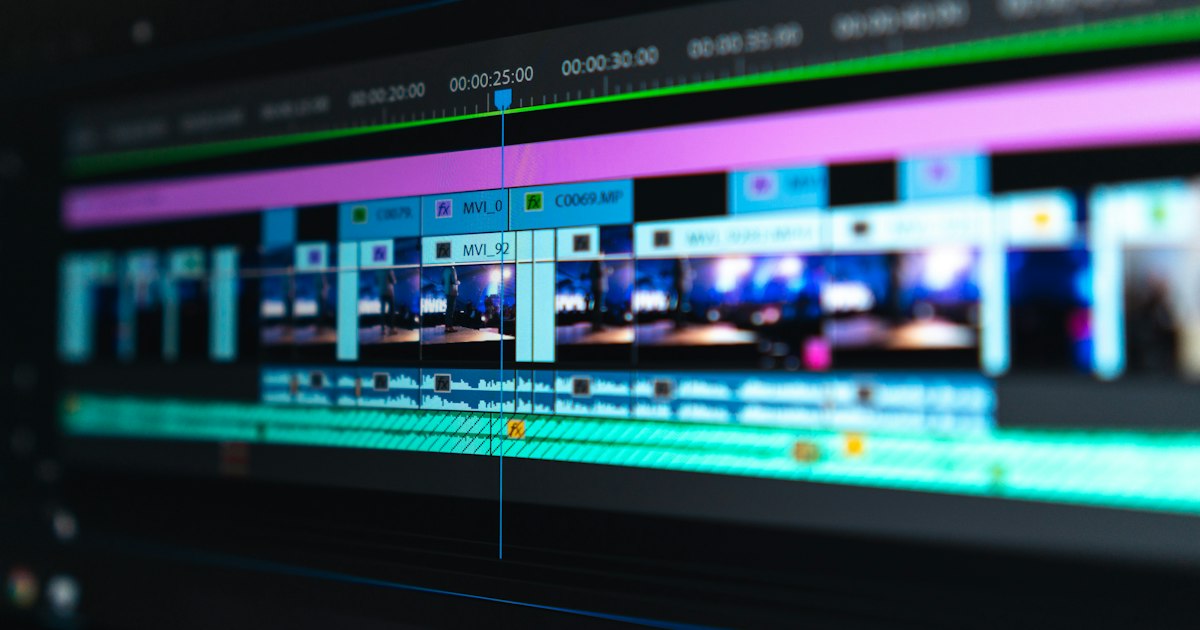
Every business reaches a point where explaining what they do becomes harder than doing it. Your product might be brilliant. Your service might save companies thousands. But if prospects don't understand it within seconds, they leave.
That's where explainer video production enters the picture. A well-crafted explainer video distills complex ideas into 60 to 120 seconds of clear, engaging storytelling. It bridges the gap between what you offer and what your audience needs to hear.
This guide covers everything from strategy and scripting to production costs and measurable ROI, so you can make informed decisions about your next explainer video investment.
What Is Explainer Video Production and Why Does It Matter?
Explainer video production is the process of creating short, focused videos that communicate a product, service, or concept in a way that's easy to understand. These videos typically run between 60 and 120 seconds and combine visuals, narration, and motion to deliver a clear message.
The format works because it respects your audience's time. According to Wyzowl's 2024 State of Video Marketing report, 96% of marketers consider video an important part of their strategy. More specifically, 91% of businesses now use video as a marketing tool, and explainer videos remain one of the most requested formats.
Why? Because they convert. A strong explainer video on a landing page can increase conversion rates by up to 80%, according to research compiled by HubSpot. That's not a marginal improvement. That's a fundamental shift in how prospects engage with your brand.
Explainer videos work across industries. SaaS companies use them to demonstrate platform features. Healthcare organizations use them to simplify patient onboarding. Financial services firms use them to make compliance topics accessible. E-commerce brands use them to showcase product benefits beyond static images.
The common thread is clarity. If your offering requires explanation, an explainer video is one of the most efficient tools available.
Types of Explainer Videos: Choosing the Right Format
Not all explainer videos are created equal. The format you choose should align with your brand, audience, and message complexity.
Animated Explainer Videos
Animation is the most popular format for explainer videos. It offers complete creative freedom, since you're not limited by physical sets, actors, or locations. You can visualize abstract concepts, create custom characters, and build entire worlds that support your narrative.
Within animation, there are several sub-categories. 2D animation uses flat graphics and motion design. It's clean, modern, and works well for SaaS and tech companies. 3D animation adds depth and realism, which suits product visualization and engineering applications. Whiteboard animation uses a hand-drawing style that feels educational and personal, though it's become less popular as audiences expect higher production values.
Live-Action Explainer Videos
Live-action explainers feature real people, real locations, and real products. They work particularly well when trust and human connection are priorities. If you're selling a service that involves personal interaction, like consulting, coaching, or healthcare, live-action helps prospects see the people behind the brand.
The trade-off is cost and flexibility. Reshoots are expensive. Updating information means re-filming. But when done well, live-action explainers carry an authenticity that animation can't fully replicate.
Motion Graphics Explainer Videos
Motion graphics sit between full animation and static design. They use typography, icons, charts, and geometric shapes in motion to communicate data-driven or process-oriented messages. This format is popular in B2B contexts where the goal is to explain a workflow, integration, or methodology.
Hybrid Explainer Videos
Some of the most effective explainer videos combine live-action footage with animated overlays, motion graphics, or screen recordings. This hybrid approach lets you show real people and real products while using animation to explain technical details or visualize data.
At Neverframe, we often recommend hybrid formats for clients whose products have both tangible and abstract components. The combination creates a richer viewing experience while keeping production costs manageable.
The Explainer Video Production Process: From Concept to Delivery
Understanding the production process helps you plan timelines, allocate budgets, and set realistic expectations.
Phase 1: Discovery and Strategy
Every successful explainer video starts with strategic groundwork. This phase involves defining the target audience, clarifying the core message, identifying the desired action (sign up, book a demo, make a purchase), and establishing the tone.
A common mistake is skipping this phase and jumping straight to scripting. Without a clear strategy, you end up with a video that looks great but doesn't drive results. The discovery phase typically takes one to two weeks and involves stakeholder interviews, competitive analysis, and audience research.
For a deeper look at building a video strategy from scratch, see our video marketing strategy complete framework.
Phase 2: Scriptwriting
The script is the backbone of your explainer video. A 60-second video requires roughly 150 words. A 90-second video needs around 225 words. Every word must earn its place.
Effective explainer video scripts follow a proven structure. Start with the problem your audience faces. Introduce your solution. Explain how it works, using three key points or steps. Close with a clear call to action.
Avoid jargon unless your audience expects it. Write for the ear, not the eye. Read the script aloud multiple times. If any sentence feels awkward to say, rewrite it.
Phase 3: Storyboarding and Visual Planning
Once the script is approved, the creative team develops a storyboard. This is a visual blueprint that maps each scene to the corresponding narration. It defines camera angles, character positions, text overlays, color palettes, and transitions.
Storyboarding is your last opportunity to make major creative changes at low cost. Once production begins, revisions become significantly more expensive. Take the time to review the storyboard thoroughly and gather feedback from all stakeholders.
Phase 4: Design and Asset Creation
For animated videos, this phase involves creating all visual assets: characters, backgrounds, icons, and UI elements. For live-action, it means location scouting, talent casting, and set design. For motion graphics, designers build the visual system, including typography, color scheme, and icon library.
Phase 5: Production
In animation, production means bringing the storyboard to life frame by frame. Animators add movement, timing, and visual effects. In live-action, this is the shoot day (or days), where the director captures all footage according to the storyboard.
Professional voiceover recording also happens during this phase. A skilled voice actor can elevate an average script into something compelling. Budget for professional talent, since amateur voiceovers undermine even the best visuals.
Phase 6: Post-Production and Sound Design
Post-production includes editing, color grading (for live-action), sound design, and music selection. Sound design is often underestimated. The right background music, sound effects, and audio mix create an emotional layer that supports the visual narrative.
Phase 7: Review, Revisions, and Delivery
Most professional production studios include two to three rounds of revisions in their pricing. Use these rounds strategically. Focus on substantive changes in early rounds and fine-tuning in later rounds.
Final delivery typically includes multiple file formats optimized for different platforms: a high-resolution master file, web-optimized versions, and social media cuts.
Explainer Video Production Costs: What to Expect in 2026
Cost is often the first question businesses ask about explainer video production. The honest answer is that it varies significantly based on quality, length, and format.
Budget Tier Breakdown
Entry Level ($2,000 to $5,000): Template-based animations with stock assets, basic voiceover, and limited customization. Suitable for internal communications or startups testing the format. Quality will be adequate but not distinctive.
Mid-Range ($5,000 to $15,000): Custom animation or simple live-action with professional scripting, original design, and quality voiceover. This tier delivers a polished video that represents your brand well. Most businesses find their sweet spot here.
Premium ($15,000 to $50,000): Fully custom production with original illustration, advanced animation, professional actors, cinematic filming, and comprehensive sound design. This tier produces videos that compete for attention on the biggest stages.
Enterprise ($50,000+): Large-scale productions involving multiple videos, complex 3D animation, celebrity voiceover, or extensive live-action shoots. Reserved for major product launches or brand campaigns.
What Drives Costs Up?
Several factors influence the final price. Video length is the most obvious, since a two-minute video costs more than a 60-second one. Animation complexity matters too. A simple 2D motion graphics video costs far less than detailed character animation or 3D rendering.
Custom illustration increases costs but dramatically improves brand differentiation. Professional voiceover talent ranges from $200 to $5,000 depending on experience and usage rights. Music licensing adds another $500 to $5,000 for high-quality tracks, though royalty-free options exist for tighter budgets.
Revision rounds beyond the standard two to three will also increase costs. The best way to manage this is thorough feedback during the storyboard phase.
For detailed strategies on managing your budget, our video production budget guide covers cost optimization in depth.
Measuring ROI: How Explainer Videos Pay for Themselves
An explainer video is an investment, and like any investment, you need to track returns. The good news is that video ROI is highly measurable.
Direct Conversion Impact
Place your explainer video on your homepage or key landing pages and track conversion rates before and after. Most businesses see a measurable lift within the first 30 days. Track form submissions, demo requests, sign-ups, or purchases, depending on your conversion goal.
A/B testing is the gold standard here. Run your landing page with and without the video simultaneously. This eliminates seasonal and traffic-source variables, giving you a clean comparison.
Engagement Metrics
Beyond conversions, track how people interact with your video. Watch time (or average view duration) tells you whether your content holds attention. Drop-off points reveal where the narrative loses momentum. Play rate, the percentage of page visitors who click play, indicates how compelling your thumbnail and placement are.
Sales Cycle Acceleration
Explainer videos often shorten the sales cycle by answering common questions before prospects reach a salesperson. Track time-to-close for leads who watched your explainer versus those who didn't. Many B2B companies report a 20 to 30% reduction in sales cycle length after deploying strategic video content.
Customer Support Savings
Product explainer videos reduce support ticket volume by educating customers proactively. If your support team repeatedly answers the same questions, a well-crafted explainer video can address those questions at scale.
SEO and Organic Traffic
Videos increase time on page, reduce bounce rates, and improve engagement metrics, all of which contribute to better search rankings. Google increasingly features video content in search results, giving you additional visibility.
For a comprehensive breakdown of video marketing returns, read our video marketing ROI complete guide.
Distribution Strategy: Where to Deploy Your Explainer Video
Creating the video is only half the battle. Strategic distribution determines whether your investment generates returns.
Website Placement
Your homepage is the highest-impact placement for an explainer video. Above-the-fold positioning with an eye-catching thumbnail maximizes play rates. Landing pages for specific products or services should feature relevant explainer videos tailored to that audience segment.
Product pages benefit from explainer videos that address specific use cases. Pricing pages benefit from videos that reinforce value before the prospect encounters numbers.
Social Media Distribution
Each platform demands a different approach. LinkedIn favors professional, insight-driven content in landscape or square formats. Instagram and TikTok require vertical edits with text overlays (since most users watch without sound). YouTube serves as both a hosting platform and a search engine, so optimize titles, descriptions, and tags for discoverability.
Create platform-specific cuts from your master file. A 90-second explainer video can yield a 30-second teaser for Instagram, a 60-second LinkedIn edit, and the full version for YouTube and your website.
For platform-specific guidance, our social media video production guide covers formatting, optimization, and distribution tactics.
Email Marketing Integration
Embedding video thumbnails in email campaigns increases click-through rates by 200 to 300%, according to Forrester Research. Use the word "video" in your subject line, include a static thumbnail that links to your video, and track which recipients engage with the content.
Sales Enablement
Equip your sales team with explainer videos they can share during the prospecting and nurturing phases. A personalized email that includes a relevant explainer video outperforms text-only outreach significantly. Your CRM can track which prospects watched the video and for how long, giving sales reps valuable intelligence.
Paid Advertising
Explainer videos make excellent ad creative for YouTube pre-roll, LinkedIn sponsored content, and Facebook/Instagram video ads. The first five seconds must hook the viewer, since that's your window before the skip button appears on YouTube.
Common Mistakes That Kill Explainer Video ROI
Even with a solid budget, several mistakes can undermine your results.
Trying to Say Too Much
The most common mistake is cramming too many messages into a single video. One video, one message. If you have three key value propositions, make three videos. Trying to cover everything dilutes the impact and confuses the viewer.
Skipping the Script Phase
Some businesses rush to animation because it feels like progress. But a beautifully animated video with a weak script will underperform a simple video with a compelling narrative. The script deserves at least 30% of your total timeline.
Ignoring the Audience
Many explainer videos talk about what the company does rather than what the customer needs. Reframe everything from the viewer's perspective. They don't care about your features. They care about their problems and whether you can solve them.
Poor Audio Quality
Viewers forgive mediocre visuals more easily than they forgive bad audio. Invest in professional voiceover and sound design. A crisp, well-mixed audio track keeps people watching. Static, echo, or amateur narration drives them away.
No Clear Call to Action
Every explainer video must end with a specific, actionable next step. "Visit our website" is too vague. "Start your free trial at [URL]" or "Book a 15-minute demo" gives the viewer a clear path forward.
How to Choose an Explainer Video Production Partner
Selecting the right production partner is one of the most consequential decisions you'll make. Here's what to evaluate.
Portfolio and Industry Experience
Review their portfolio for quality, creativity, and relevance to your industry. Have they produced videos for companies similar to yours? Do their videos feel polished and professional? Watch several examples in full, not just highlight reels.
Process and Communication
A strong production partner has a well-defined process with clear milestones, timelines, and communication protocols. Ask about their project management approach. How do they handle feedback? How many revision rounds are included? What's their average turnaround time?
Strategic Capability
The best production companies don't just execute, they advise. They should ask questions about your business goals, target audience, and competitive positioning before touching a storyboard. If a company jumps straight to "what animation style do you want?" without understanding your strategy, that's a red flag.
Pricing Transparency
Reputable companies provide detailed quotes that break down costs by phase: scripting, storyboarding, design, animation, voiceover, and sound design. Avoid companies that give a single lump-sum figure without explanation.
Post-Delivery Support
Ask about deliverables (file formats, resolution, platform-specific edits), usage rights, and whether they offer ongoing support for updates or modifications.
At Neverframe, we guide clients through every phase, from initial strategy through production and distribution planning. Get in touch to discuss your explainer video project.
Explainer Video Production for Different Industries
The principles of explainer video production remain consistent across industries, but execution details vary.
SaaS and Technology
SaaS explainer videos focus on demonstrating the platform through screen recordings combined with animated overlays that highlight key features. The challenge is showing software in an engaging way without turning the video into a boring product demo. Focus on the workflow transformation, not individual buttons.
Healthcare and Life Sciences
Healthcare explainers must balance accessibility with accuracy. Animated formats work well because they can visualize biological processes, patient journeys, and treatment mechanisms without relying on real patient footage (which involves compliance and consent complications). Regulatory review adds time to the production process, so plan accordingly.
Financial Services
Financial explainer videos simplify complex products like investment portfolios, insurance plans, and lending processes. Motion graphics with data visualization work particularly well here. Compliance review is mandatory, so build extra time into your timeline for legal approval.
E-Commerce and Direct-to-Consumer
Product explainer videos for e-commerce brands combine lifestyle footage with animated feature callouts. The goal is to help shoppers understand the product's value beyond what static images convey. These videos often serve double duty as social media ad creative.
For guidance on creating effective product videos, check our how to make a product video guide.
Explainer Video Production Timelines: What to Expect
Understanding production timelines helps you plan campaigns, coordinate launches, and set internal expectations.
A straightforward animated explainer video typically takes four to eight weeks from kickoff to final delivery. The breakdown looks roughly like this: one to two weeks for discovery and strategy, one week for scriptwriting and approval, one week for storyboard development, two to three weeks for design, animation, and sound, and one week for revisions and final delivery.
Live-action productions can be faster or slower depending on logistics. Casting, location permits, and weather dependencies add variables that animation doesn't have. However, the actual shoot day is often just one or two days, with most time spent in pre-production planning and post-production editing.
Rush projects are possible but costly. Compressing a six-week timeline into three weeks typically adds a 25 to 50% premium. If you know you'll need an explainer video for a specific launch date, start the process at least eight weeks before that date.
For multi-video projects, staggering production allows your team to review and provide feedback on earlier videos while later ones are in production. This parallel approach maximizes efficiency without overwhelming decision-makers.
Our promotional video production guide covers additional timeline considerations for various video formats.
Trends Shaping Explainer Video Production in 2026
The explainer video space continues to evolve. Several trends are reshaping production approaches and audience expectations.
Shorter Formats and Micro-Explainers
Attention spans continue to compress. While the standard 60 to 90-second explainer remains effective, many brands are creating 15 to 30-second micro-explainers for social media and ad platforms. These bite-sized videos focus on a single feature or benefit and drive viewers to longer content.
Interactive and Shoppable Video
Interactive elements, like clickable hotspots, branching narratives, and embedded CTAs, are becoming more accessible. These features turn passive viewers into active participants, increasing engagement and conversion potential.
Personalized Video at Scale
Advancements in production technology allow companies to create personalized explainer videos that address individual prospects by name, company, or industry. This approach is gaining traction in B2B sales and account-based marketing strategies.
Accessibility as Standard
Captions, audio descriptions, and transcript availability are becoming baseline expectations rather than nice-to-have features. Beyond compliance, accessible videos reach larger audiences and perform better on social platforms where users watch without sound.
Building a Long-Term Explainer Video Strategy
One explainer video rarely transforms a business on its own. The companies that see the greatest ROI from explainer video production build a library of content that supports the entire customer journey.
Start with a core brand explainer for your homepage. Then create product or service-specific explainers for key offerings. Add feature explainers for complex capabilities. Develop onboarding explainers that reduce churn and support costs. Build FAQ videos that address the top five questions your sales team hears repeatedly.
This library approach maximizes production efficiency (since you can reuse visual assets and brand elements) while ensuring every touchpoint has relevant video content.
Update your videos regularly. Markets shift, products evolve, and messaging matures. Budget for annual refreshes of your highest-traffic videos to keep them current and effective.
For brands looking to reduce production costs without sacrificing quality, our guide to reducing video production costs offers practical strategies.
Explainer Videos for Startups and Growing Companies
Startups face a unique challenge with explainer videos. They need to communicate novel concepts to audiences who may not yet understand the problem they solve, let alone the solution. This makes the explainer video format particularly valuable for early-stage companies.
Seed and Series A startups often use explainer videos on their pitch decks, investor pages, and product launch campaigns. A clear, compelling 90-second video can communicate what 10 slides of text cannot. Investors see hundreds of pitches. A polished explainer video signals professionalism and makes your company memorable.
For startups with limited budgets, motion graphics and simple 2D animation offer the best balance of quality and cost. Avoid cutting corners on the script and voiceover, since these carry the narrative. You can use simpler animation and still make a strong impression if the story is compelling and the audio is clean.
As your company grows, your explainer video should evolve with it. The video you made for your seed round won't serve you well two years later when your product has matured and your audience has expanded. Plan to refresh your core explainer video every 12 to 18 months or whenever you make a significant product pivot.
For more guidance on video production for earlier-stage companies, explore our startup video production guide.
Next Steps: Getting Your Explainer Video Project Started
Explainer video production is a strategic investment that pays dividends across marketing, sales, and customer success. The key is approaching it with clear goals, realistic budgets, and the right production partner.
Start by defining your primary objective. Is it increasing conversions on a specific landing page? Shortening your sales cycle? Reducing support tickets? Your objective shapes every decision that follows, from format selection to distribution strategy.
Then establish your budget range using the tiers outlined above. Gather examples of explainer videos you admire, both inside and outside your industry. Document your target audience, key messages, and desired tone.
With that foundation in place, you're ready to evaluate production partners and begin the creative process. Explainer video production, done right, is one of the highest-ROI marketing investments a business can make. The companies that invest in quality production and strategic distribution consistently outperform those relying on text-heavy landing pages and static imagery.
Contact Neverframe to discuss your explainer video production needs and get a custom proposal for your project.