AI Video Editing Tools & Techniques
A professional breakdown of AI video editing tools and techniques transforming post-production - from automated cuts to intelligent color grading and beyond.
Published 2026-03-25 · Technology · Neverframe Team
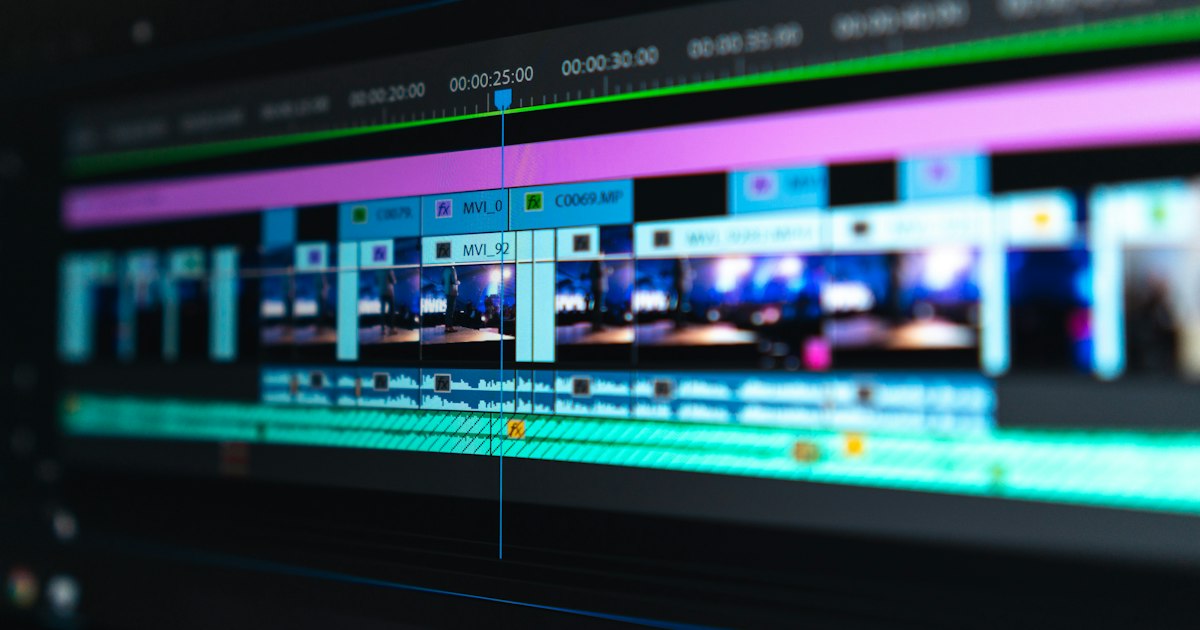
Post-production has always been where raw footage becomes a story. It is where pacing is born, where emotion is sculpted, where a collection of clips transforms into something that moves an audience. And it is precisely this stage of the video production pipeline that AI is revolutionizing most aggressively.
AI video editing is not about removing the editor from the room. It is about giving the editor - or the creative director, or the one-person marketing team - capabilities that used to require a full post-production house and weeks of calendar time. According to a McKinsey report on generative AI's economic potential, creative and media roles stand to see 20-30% of their tasks automated or augmented by AI, with video editing sitting at the high end of that range.
This article is a practitioner's guide. We will cover the tools that matter, the techniques that produce professional results, and the best practices that separate polished AI-edited video from the obviously automated.
The Current State of AI Video Editing
To understand where we are, it helps to understand how fast we got here. In 2023, AI video editing meant basic jump-cut removal and rudimentary auto-captioning. By mid-2024, AI could handle scene detection, smart reframing, and semi-intelligent assembly edits. In 2026, AI editing tools can:
- Analyze footage and suggest complete edit sequences based on narrative structure
- Perform context-aware cuts that follow conversational rhythm, music beats, and emotional arcs
- Execute intelligent B-roll insertion, matching supplementary footage to spoken content
- Handle multi-camera synchronization and switching automatically
- Apply and maintain consistent color grades across disparate footage
- Remove backgrounds, replace environments, and composite elements in real time
- Generate transitions, motion graphics, and text overlays contextually
- Clean, separate, and remix audio tracks with near-studio quality
- Adapt a single edit to multiple aspect ratios and platform specifications simultaneously
This is not speculative. These are production capabilities available today in tools that professional editors are actively using.
Tier 1: Professional AI Editing Suites
These are the platforms where the majority of professional AI-assisted editing happens.
Adobe Premiere Pro with Sensei AI
Adobe has been methodically integrating AI across its Creative Cloud suite, and Premiere Pro is the flagship beneficiary. Key AI features include:
Scene Edit Detection: Analyzes imported footage and automatically places cut points at scene transitions. This is invaluable when working with long-form source material - interviews, event recordings, or archival footage. What used to take an editor an hour of scrubbing through timelines now takes seconds.
Auto Reframe: Uses AI to track subjects and automatically reframe footage for different aspect ratios. A 16:9 interview can be intelligently cropped to 9:16 for vertical platforms while keeping the subject consistently in frame. The AI understands not just face position but conversational dynamics - it will shift framing when the active speaker changes.
Generative Extend: Launched in late 2025, this feature uses AI to extend clips beyond their original duration. Need a shot to hold for two more seconds? Generative Extend synthesizes additional frames that maintain the scene's visual characteristics. It is not flawless, but for static or slowly-moving shots, it is remarkably effective.
Text-Based Editing: Premiere Pro transcribes footage automatically and allows editors to cut video by editing the transcript. Delete a sentence from the transcript, and the corresponding video is removed. Rearrange paragraphs, and the timeline follows. For interview and talking-head content, this is transformative.
Audio AI: Premiere's AI-powered audio tools include noise reduction that can isolate voices from background noise, automatic audio leveling, and room tone matching - ensuring that cuts between different recording environments sound seamless.
DaVinci Resolve with Neural Engine
Blackmagic Design's DaVinci Resolve has long been the industry standard for color grading, and its Neural Engine AI capabilities have expanded the platform's reach into intelligent editing territory.
Magic Mask: AI-powered masking that can isolate subjects, objects, or specific features (face, hair, body) without manual rotoscoping. This enables targeted color adjustments, selective effects, and sophisticated compositing directly in the editing timeline.
Face Refinement: Neural network-based tools for subtle facial adjustments - smoothing skin, enhancing eyes, reducing blemishes - with a natural look that avoids the over-processed quality of traditional beauty filters.
AI Color Matching: Point to a reference image or clip, and Resolve's AI will match your footage to that look. This is enormously useful when combining footage from different cameras, different lighting conditions, or different shoots.
Speed Warp: AI-driven retiming that creates smooth slow-motion from standard frame rate footage by intelligently generating intermediate frames. The results are significantly better than traditional optical flow.
Voice Isolation: DaVinci's Fairlight audio suite includes AI voice isolation that rivals dedicated audio tools, extracting clean dialogue from noisy environments.
Descript: The Text-First Editor
Descript represents a fundamentally different approach to editing. It treats video as a document - a transcript that happens to have visual and audio components.
Editing by reading: The core concept is elegant. Your video is transcribed, and you edit by manipulating the text. Cut a word, and its corresponding audio and video disappear. Move a sentence, and the timeline rearranges. This is intuitive for anyone who can use a word processor, which dramatically lowers the skill barrier for video editing.
Filler word removal: AI identifies and removes "um," "uh," "you know," and other filler words with a single click. It handles the audio gap intelligently, either closing the space or replacing it with room tone.
Eye contact correction: Descript's AI can adjust a speaker's eye direction to appear as if they are looking directly into the camera, even if they were reading from a script off to the side. It is subtle and effective.
Studio Sound: AI audio processing that makes any recording environment sound like a professional studio. It handles echo reduction, noise removal, and EQ balancing simultaneously.
Overdub: Text-to-speech that clones the speaker's voice. Need to fix a mispronounced word or add a missing sentence? Type the correction, and Descript generates audio in the speaker's voice. The ethical implications are significant, but for correcting your own content, it is invaluable.
Tier 2: Specialized AI Editing Tools
Beyond the comprehensive suites, a ecosystem of specialized tools handles specific post-production tasks with AI precision.
Runway
Runway has evolved from a web-based video editor to a comprehensive AI creative platform. Its editing capabilities include:
- Inpainting and outpainting for video: Remove unwanted objects from footage or extend frames beyond their original boundaries.
- Style transfer: Apply the visual style of one video or image to another, maintaining temporal consistency.
- Green screen without the green screen: AI-powered background removal that works on footage shot without any special backdrop.
- Motion tracking and compositing: AI-assisted tracking that simplifies adding graphics, text, or effects that follow subjects through the frame.
Topaz Video AI
Topaz focuses on one thing: making footage look better. Its AI models handle:
- Upscaling: Convert 1080p footage to convincing 4K. The AI adds genuine detail rather than simply sharpening pixels.
- Frame interpolation: Generate intermediate frames for smooth slow motion or to convert frame rates (24fps to 60fps, for example).
- Stabilization: AI-powered stabilization that corrects shaky footage without the aggressive cropping of traditional stabilization.
- Noise reduction: Remove grain and noise from low-light footage while preserving detail.
CapCut (Professional Tier)
ByteDance's CapCut has evolved far beyond its TikTok editor origins. The professional tier includes:
- AI-powered auto-captions with extensive styling options
- Intelligent clip arrangement based on content analysis
- AI background removal and replacement
- Beat-synchronized editing that cuts footage to music automatically
- Multi-language dubbing with lip-sync adjustment
ElevenLabs and Voice AI
While not a video editor per se, ElevenLabs has become essential to AI video editing workflows for:
- Voiceover generation: Create professional narration from text in dozens of voices and languages.
- Voice cloning: With proper consent and licensing, clone a specific voice for consistent narration across a content library.
- Dubbing: Translate and dub video content into multiple languages while maintaining the emotional qualities of the original performance.
- Sound effects: AI-generated sound effects matched to on-screen action.
Core AI Video Editing Techniques
Understanding the tools is necessary but not sufficient. Here are the techniques that produce professional results.
Intelligent Assembly Editing
The most time-consuming part of editing long-form content - interviews, podcasts, event recordings - is the assembly edit: reviewing all the footage and selecting the best takes. AI dramatically accelerates this process.
The technique: Import all footage into an AI-enabled editor. Use transcription-based editing to read through the content rather than watching it in real time. Identify the strongest segments by reading the transcript, then use the AI to assemble those segments into a rough cut. Let the AI handle J-cuts and L-cuts at transitions for natural audio flow.
Pro tip: Do not accept the AI's first assembly uncritically. The AI excels at technical precision - matching audio levels, creating smooth transitions - but it lacks editorial judgment about narrative arc. Use AI for the mechanical assembly, then apply human judgment to the structure.
AI-Assisted Color Grading
Color grading is both a technical process and an artistic one. AI handles the technical brilliantly while leaving the artistic decisions to you.
The technique: Start by using AI color matching to normalize all your footage - bringing clips from different cameras, locations, and lighting conditions to a consistent baseline. Then apply your creative grade on top of this normalized foundation.
Use AI to generate LUTs (Look-Up Tables) that match reference images or films. Want the teal-and-orange look of a Michael Bay film? The warm nostalgia of a Wes Anderson palette? AI can analyze the reference and generate a starting LUT in seconds.
Pro tip: AI color grading tends to be technically accurate but emotionally flat. Always make manual adjustments after the AI pass. Push shadows slightly cooler, warm the highlights, add a subtle vignette - these human touches give the grade personality.
Automated Multi-Format Adaptation
Modern video distribution demands multiple formats from a single piece of content. AI makes this practical rather than painful.
The technique: Edit your master version in its primary format (typically 16:9 for most professional content). Then use AI reframing to generate vertical (9:16), square (1:1), and any other required formats.
For each format, review the AI's framing decisions. The AI will generally keep the primary subject centered, but complex scenes - wide shots with multiple subjects, text overlays, or compositional elements near the frame edges - require manual adjustment.
Pro tip: Design your primary edit with multi-format adaptation in mind. Keep critical visual elements within the center 60% of the frame. This "safe zone" approach ensures that AI reframing has enough material to work with across all aspect ratios.
Audio Cleanup and Enhancement
Poor audio destroys otherwise excellent video. AI audio tools have become remarkable.
The technique: Apply AI noise reduction first - remove background hum, HVAC noise, traffic, and other environmental sounds. Then use voice isolation to further separate dialogue from any remaining background elements. Apply AI-powered EQ to ensure clarity and consistency. Finally, use loudness normalization to meet platform specifications (typically -14 LUFS for streaming, -24 LUFS for broadcast).
Pro tip: Apply AI audio processing in stages rather than all at once. Heavy-handed single-pass processing can introduce artifacts. Light noise reduction followed by gentle voice isolation followed by subtle EQ produces cleaner results than aggressive one-step processing.
AI-Powered Visual Effects
Visual effects that once required dedicated VFX artists can now be achieved - in many cases - through AI tools integrated directly into the editing timeline.
The technique: For background replacement, use AI masking to isolate your subject, then composite onto a new background - either AI-generated or sourced footage. For object removal, AI inpainting can eliminate unwanted elements frame by frame with impressive consistency. For visual style, AI style transfer can transform the look of footage dramatically.
Pro tip: AI VFX works best when it is invisible. The moment a viewer notices the effect, it has failed. Use AI effects to enhance rather than transform. Subtle background improvements, minor object removal, gentle style adjustments - these succeed because they improve the viewing experience without calling attention to themselves.
For a comprehensive look at how AI is reshaping the broader production pipeline - not just editing - see our complete guide to AI video production.
Workflow: Integrating AI Into Your Editing Pipeline
Here is a practical workflow for incorporating AI into an existing editing pipeline without disrupting established processes.
Step 1: Ingest and Organize
Import footage into your NLE (non-linear editor) as usual. Use AI transcription to generate searchable transcripts for all footage. Tag footage using AI-powered content analysis - the AI can identify scenes, subjects, actions, and even emotional tone.
Step 2: AI-Assisted Rough Cut
Use transcription-based editing for dialogue-driven content. For B-roll and visual content, use AI scene analysis to identify the strongest shots. Let the AI suggest an assembly based on the script or brief.
Step 3: Human Creative Edit
This is where the editor's craft matters most. Shape the AI's assembly into a narrative. Adjust pacing, build tension, create rhythm. Make the editorial decisions that require taste, judgment, and emotional intelligence - things AI cannot replicate.
Step 4: AI-Enhanced Polish
Apply AI color grading as a starting point, then refine manually. Use AI audio cleanup and enhancement. Apply AI-powered stabilization where needed. Generate titles, lower thirds, and motion graphics using AI tools.
Step 5: Multi-Format Export
Use AI reframing to generate all required aspect ratios. Review each format for framing accuracy. Export using platform-optimized settings.
Step 6: Quality Control
This step is critical and must remain human. Review every deliverable for:
- AI artifacts (temporal glitches, object morphing, hand anomalies)
- Audio consistency and quality
- Color accuracy across different viewing environments
- Brand compliance (logos, typography, color palette)
- Platform specification compliance (duration, file size, codec)
Best Practices for Professional AI Video Editing
Always Start With Clear Creative Intent
AI tools are powerful but directionless without clear creative input. Before touching any AI tool, define: What is the tone? What is the pace? What is the visual style? What is the narrative structure? AI amplifies intent - if the intent is vague, the result will be vague.
Use AI for Speed, Not for Decisions
The fastest path to mediocre video is delegating editorial decisions to AI. Use AI to accelerate mechanical tasks - transcription, rough assembly, format adaptation, noise reduction. Reserve creative decisions - what to include, what to cut, how to pace, when to hold a moment - for human judgment.
Maintain Consistent Quality Control
As AI handles more of the production pipeline, the temptation is to reduce QC. Resist this. AI tools occasionally produce artifacts, inconsistencies, or errors that are subtle enough to miss in casual review but obvious enough to undermine credibility in the final product.
Build Templates and Presets
AI tools become more powerful with customization. Build templates that encode your brand's visual identity - color profiles, typography, graphic elements, transition styles. Train AI models (where supported) on your existing content library so that AI suggestions align with established aesthetics.
Version Control Is Non-Negotiable
AI-assisted editing enables rapid iteration, which means you can quickly produce many versions of an edit. Without rigorous version control, you will lose track of changes, accidentally revert to earlier versions, or deliver the wrong cut. Use your NLE's built-in versioning, maintain clear naming conventions, and document AI-generated changes.
Understand the Limitations
AI video editing tools have specific failure modes:
- Temporal consistency: AI effects applied frame-by-frame can flicker or drift across cuts.
- Complex motion: AI masking and tracking can lose subjects during fast or erratic movement.
- Fine detail: AI upscaling and enhancement can hallucinate detail that is not present in the original footage.
- Audio context: AI audio tools may remove intentional ambient sounds along with noise.
- Cultural nuance: AI-suggested edits may not account for cultural context in pacing, humor, or visual metaphor.
Knowing these limitations allows you to anticipate and address them proactively rather than discovering them in client review.
The Economics of AI Video Editing
AI video editing changes the economics of post-production in several important ways. For a full breakdown, our cost guide covers the financial picture in detail.
Reduced labor hours: Tasks that took hours - manual transcription, frame-by-frame rotoscoping, multi-format adaptation - now take minutes. A single editor with AI tools can handle work that previously required a small team.
Faster turnaround: Compressed timelines mean faster delivery, which means faster feedback cycles, which means better final products. It also means the ability to take on more projects without adding headcount.
Democratized capabilities: AI puts near-professional editing capabilities in the hands of smaller teams and individuals. A solo content creator with the right AI tools can produce video that approaches the quality of a mid-budget production company.
New cost centers: AI tools require subscriptions, compute resources, and training time. These costs are generally much lower than the labor they displace, but they are not zero.
Shift in value: As AI handles technical execution, the value shifts to creative vision, strategic thinking, and quality judgment. Editors who position themselves as creative directors rather than technical operators will command premium rates.
Looking Ahead: The Next Wave of AI Editing
Several developments on the near horizon will further transform AI video editing:
Real-time AI editing: Current AI processing is near-instantaneous for simple tasks but can take minutes for complex operations. As hardware and models improve, expect all AI editing operations to become real-time, enabling live production workflows.
Conversational editing interfaces: Instead of clicking through menus and adjusting parameters, editors will increasingly interact with AI through natural language. "Make the opening more energetic," "darken the mood in the second act," "match the pacing to this reference video" - these conversational commands will translate directly into timeline adjustments.
Predictive editing: AI that learns your editing style and begins anticipating your decisions - suggesting cuts, transitions, and effects before you request them. This moves AI from a reactive tool to a proactive creative partner.
Cross-platform intelligence: AI that understands platform-specific engagement patterns and adjusts editing decisions accordingly. A YouTube edit that prioritizes retention through pacing decisions, a TikTok edit that optimizes for the first-second hook, an Instagram edit that maximizes visual impact in the feed - all generated from the same source material.
Conclusion
AI video editing is not the future of post-production - it is the present. The tools are here, they work, and they are getting better at a pace that makes annual feature comparisons obsolete within months.
The editors, creative directors, and production teams that thrive will be those who approach AI as a powerful collaborator: one that handles the mechanical, the repetitive, and the computationally intensive, freeing human creativity for the work that machines cannot do - finding the story, feeling the rhythm, making the choices that turn footage into something worth watching.
Whether you are building an in-house editing capability or partnering with a studio that has already integrated AI into its post-production pipeline, the imperative is clear: start now. The learning curve is real, but the competitive advantage of AI-powered editing efficiency is already too significant to ignore.
If you want to see what AI-powered post-production looks like at the highest level, explore how Neverframe approaches commercial production - or get in touch directly.